Edge AI inference speed in FPS slows after thermal limits kick in
Publication Date
author
When edge AI inference speed FPS starts dropping after thermal limits engage, real-world system value can collapse fast. For engineers, operators, buyers, and decision-makers, this issue connects directly to edge computing power consumption, industrial IoT gateway latency, and even vision sensor framerate vs resolution tradeoffs. This article examines why sustained performance diverges from peak specs, how thermal throttling affects deployment reliability, and what benchmark data actually matters before selecting edge AI hardware.
Why does edge AI inference speed in FPS fall after thermal limits are reached?
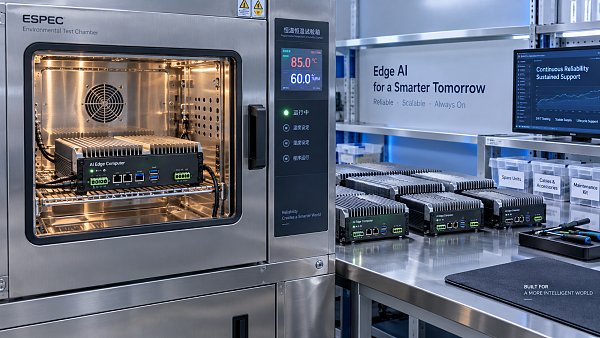
[[IMG:img_01]]Many edge AI devices can deliver strong burst performance for the first 2–10 minutes, but sustained workloads tell a different story. Once junction temperatures approach thermal limits, clock frequencies are reduced to protect the SoC, memory subsystem, and power stages. The result is simple: edge AI inference speed in FPS no longer reflects launch-condition benchmarks, but the lower sustained state that operators actually live with during 8–24 hour shifts.
This matters across machine vision, robotics, UAV payload computing, and industrial IoT gateways. A system advertised at 120 FPS may settle at 68–85 FPS after thermal saturation, and that reduction can change detection confidence, control loop stability, and inspection throughput. In high-mix production lines, even a 15%–25% sustained FPS loss can force a downgrade in model complexity, camera resolution, or conveyor speed.
Thermal throttling is not only a processor issue. It is a system-level behavior shaped by enclosure design, ambient temperature, heatsink mass, fan curve logic, PCB layout, memory bandwidth, and workload composition. A compact fanless unit in a 35°C cabinet behaves very differently from a vented device on an open bench at 22°C, even if both use the same accelerator.
For procurement teams, this creates a recurring failure in specification review: comparing peak FPS instead of sustained FPS under declared test conditions. TechStat Vanguard focuses on engineering truth, so the correct question is not “What is the highest FPS shown in a product page?” but “What FPS remains stable after thermal equilibrium is reached under the actual deployment profile?”
The three-stage performance pattern most teams overlook
In most edge AI deployments, performance follows 3 practical stages. Stage 1 is cold-start boost, often lasting a few minutes. Stage 2 is the thermal ramp, where temperatures climb and clocks begin fluctuating. Stage 3 is the sustained state, where long-run FPS, latency, and power draw stabilize. Only Stage 3 should guide deployment planning for continuous inference.
- Cold-start boost: useful for demos and short tests, but often misleading for real production duty cycles.
- Thermal ramp: the most variable period, where intermittent drops, frame skips, or queue growth can appear.
- Sustained state: the only stable basis for line balancing, operator planning, and ROI calculations.
If a vendor does not disclose test duration, ambient temperature range, model type, input resolution, and cooling mode, the published FPS figure has limited decision value. In TSV-style benchmarking, thermal context is not a detail. It is the foundation of any valid comparison.
Which technical parameters actually determine sustained edge AI performance?
Sustained edge AI inference speed depends on more than TOPS or nominal accelerator rating. In practical deployments, 5 core dimensions usually shape long-run behavior: thermal design power envelope, memory bandwidth, sensor input load, enclosure airflow, and model architecture. A device can have ample theoretical compute, yet still collapse in FPS because heat cannot be removed fast enough or data movement becomes the bottleneck.
For example, image pipelines with 1080p, 2K, or 4K input can produce very different thermal stress even when using the same detector. Similarly, running one quantized model versus three concurrent models for detection, segmentation, and OCR changes both power draw and memory traffic. Buyers should request benchmark disclosure across at least 3 dimensions: model type, input resolution, and duration at stable ambient conditions.
Industrial users should also separate average latency from tail latency. A system that reports 18 ms average latency but spikes to 45–60 ms every few seconds after heating may still create actuator timing problems, PLC coordination issues, or missed triggers at the edge. FPS alone is useful, but FPS without latency variance is incomplete.
The table below shows which parameters deserve attention when assessing edge AI inference speed in FPS under thermal stress. These are not vendor-specific numbers. They are practical review points for screening solutions across sensors, gateways, robotics cells, and embedded machine vision nodes.
A strong review process connects these parameters back to operational risk. If the deployment demands stable inference for 12 hours per day, the right benchmark window is not 90 seconds. It is at least 30–60 minutes, and in many factory or field scenarios, a 2–4 hour soak test gives a much more reliable picture of sustained edge AI performance.
How vision sensor settings quietly change thermal outcomes
One of the most common mistakes is treating the AI module as if it operates independently from the camera. In reality, vision sensor framerate vs resolution settings can reshape the thermal budget immediately. A pipeline moving from 30 FPS at 1080p to 60 FPS at 1440p may require much more decoding, resize, buffer, and inference work, even before post-processing starts.
Typical interactions to review
- Higher sensor framerate can improve detection timeliness, but it also increases pipeline heat and may reduce sustained FPS after throttling.
- Higher resolution can improve small-object recognition, yet often shifts the bottleneck from compute to memory and thermal dissipation.
- Aggressive preprocessing on-device reduces uplink bandwidth, but raises local power draw inside compact edge boxes.
For operators, the right decision is often a balanced setting rather than the maximum setting. In many industrial inspection tasks, a stable 25–35 sustained FPS at the correct resolution outperforms an unstable 50+ FPS mode that collapses after heating.
How should engineers and buyers compare peak FPS against sustained FPS?
Peak FPS is useful for understanding silicon capability, but it is not enough for procurement. Sustained FPS is the number that affects line throughput, operator confidence, and maintenance burden. The comparison should therefore include at least 4 benchmark dimensions: startup FPS, sustained FPS after thermal equilibrium, average latency, and worst-case latency under continuous load.
A good comparison also examines edge computing power consumption. Higher power can support more inference throughput, but it also raises thermal design demands. In compact cabinets, autonomous vehicles, or outdoor enclosures, every additional 5W–15W may force changes in heatsink sizing, airflow path, power supply margin, and maintenance planning.
For procurement teams, a structured comparison prevents overspending on unrealistic peak specs. For decision-makers, it reduces the risk of deploying hardware that looks efficient on paper but underperforms after 20–40 minutes in the field. For TSV readers, the key principle remains consistent: benchmark what the system sustains, not what it can briefly flash.
The table below offers a practical comparison framework for evaluating edge AI hardware in scenarios where thermal throttling may affect deployment reliability.
The message is clear: if two devices show similar peak FPS, the better choice may still be the unit with lower startup numbers but tighter sustained stability. Over a 3-shift operation, thermal consistency often creates more value than short-lived benchmark spikes.
A practical review checklist before approving a device
- Request sustained FPS results after at least 30 minutes under the intended model and resolution.
- Confirm whether preprocessing, decode, and post-processing are included in the reported throughput.
- Review edge computing power consumption at idle, nominal load, and sustained maximum load.
- Check how the device behaves in the expected ambient range, such as 20°C–35°C indoors or higher in sealed cabinets.
- Ask for latency variance and thermal logs, not only a single FPS headline figure.
This checklist helps research teams, operators, and sourcing managers align technical review with real deployment constraints instead of brochure performance.
Which deployment scenarios are most vulnerable to thermal throttling?
Thermal throttling is most damaging in environments where continuous inference, space limits, and environmental heat converge. Industrial machine vision cells, smart gateways near motors or drives, mobile robotics, UAV onboard compute, and roadside or outdoor cabinets all fall into this category. In these environments, stable edge AI inference speed in FPS matters more than short benchmark bursts.
Factory-floor deployments often add a second challenge: thermal load from neighboring equipment. A device tested in a quiet lab at 23°C may sit beside power electronics, conveyors, or lighting that raise local air temperature by 5°C–12°C. That gap is enough to change fan duty cycles, accelerate throttling, and reduce sustained model throughput.
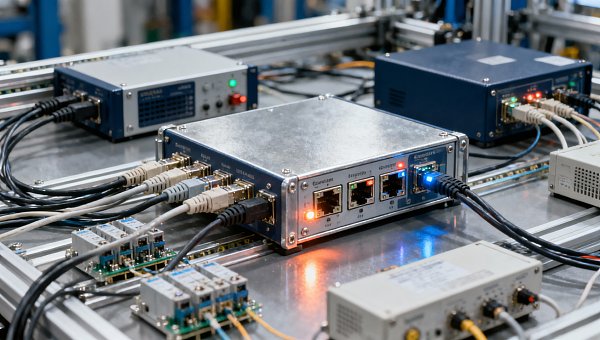
In industrial IoT gateway scenarios, the issue is not only AI processing. Gateways may handle protocol conversion, data buffering, encryption, and upstream transmission at the same time. The added CPU and memory stress can raise internal temperatures and increase gateway latency just as inference demand peaks. That interaction is often missed during solution design.
Below are the scenario patterns where buyers should insist on stronger thermal validation before signing off on hardware selection.
High-risk deployment patterns
- Fanless enclosures with limited convection, especially when mounted inside cabinets or sealed housings.
- Multi-camera machine vision nodes processing 2–4 streams at 1080p or above for 8–16 hours per day.
- Outdoor or mobile systems exposed to daytime temperature swings, dust control constraints, or solar loading.
- Gateways that combine AI inference, data routing, compression, and security tasks in one compact box.
Where risk is high, the safer path is to test the full stack: sensor, codec, runtime, model, enclosure, and ambient conditions together. Isolated silicon tests rarely capture the actual thermal profile of a production-ready edge system.
Common misconceptions that lead to failed deployments
Misconception 1: Higher TOPS always means higher real FPS
Not necessarily. If memory bandwidth, software optimization, or cooling design is weak, theoretical compute remains underused. Sustained FPS can trail far behind expected output, especially after the first thermal ramp.
Misconception 2: Fanless always means more reliable
Fanless systems remove a mechanical wear point, but they also reduce heat removal capacity. In low-power or moderate-duty applications, this can be acceptable. In heavy inference scenarios, fanless design may require lower power ceilings or a larger thermal mass to keep FPS stable.
Misconception 3: If average FPS is acceptable, the system is fine
Average FPS can hide periodic stalls. A line or vehicle control system may fail because of momentary drops, queue buildup, or latency spikes. Sustained stability should be judged over time, not by a single averaged number.
What should procurement teams and decision-makers ask before buying edge AI hardware?
A disciplined procurement process should turn thermal risk into a checklist, not a surprise. For most B2B projects, 6 review areas matter most: workload definition, sustained benchmark method, thermal envelope, integration constraints, serviceability, and delivery timeline. These points help convert scattered vendor claims into a comparable engineering decision.
Information researchers need clear specification logic. Operators need confidence that the device will maintain usable FPS through the shift. Buyers need to avoid overpaying for performance that disappears under heat. Executives need evidence that the selected platform reduces rework, line stoppage, and qualification delays. The questions below serve all four groups.
For many projects, lead time and validation cycle also matter. A typical path may include 1–2 weeks for sample evaluation, 2–4 weeks for integration tests, and additional time for enclosure or firmware adjustment if thermal issues appear. Early thermal review can save much longer delays later.
TSV’s approach is to strip away generic claims and focus on parameters that influence field success. That means asking vendors to declare conditions, not just outcomes.
Procurement questions worth asking in the first review meeting
- What is the sustained edge AI inference speed in FPS after 30, 60, and 120 minutes under the target model and input resolution?
- At what ambient temperature and enclosure condition were these results recorded?
- How does edge computing power consumption change between idle, nominal, and continuous full-load operation?
- What is the measured latency profile, including worst-case spikes, when the system is thermally saturated?
- What maintenance actions are required for cooling, such as fan inspection intervals or dust management?
- Can the supplier support alternate heatsinks, enclosure coupling, or workload tuning if thermal throttling appears during pilot deployment?
How standards and compliance fit the review
Compliance does not replace performance benchmarking, but it still matters. In industrial and embedded contexts, teams may review operating temperature declarations, EMC considerations, ingress constraints for the enclosure, and application-specific standards. In regulated environments, documentation discipline is often as important as raw speed because qualification teams need traceable conditions and repeatable methods.
When thermal performance affects safety-critical perception, inspection quality, or uptime, documented validation becomes part of risk control. This is where a data-driven benchmarking mindset adds value: it shortens supplier qualification cycles by making technical gaps visible earlier.
FAQ: how to interpret thermal throttling, FPS drops, and deployment value
Search intent around edge AI hardware often centers on direct questions: how much FPS drop is acceptable, when a fanless design is enough, and which benchmark format is trustworthy. The answers depend on workload, ambient conditions, and business tolerance for missed frames or delayed decisions.
The FAQ below summarizes frequent concerns from information researchers, operators, buyers, and enterprise leaders who need practical evaluation logic rather than generic performance claims.
How much sustained FPS drop is usually concerning?
There is no single universal threshold, but if sustained FPS falls enough to disrupt the process window, the device is undersized for that application. In many industrial workflows, a drop of 10% may be manageable, while 20%–30% can force changes in sensor settings, model selection, or takt time. The important benchmark is not the percentage alone, but whether the system still meets inspection, control, or response requirements after 30–60 minutes of continuous operation.
Is fanless edge AI hardware suitable for continuous inference?
It can be, but only if the workload, ambient range, and enclosure path are aligned. Fanless designs are common in dust-sensitive and maintenance-conscious environments, yet they require careful power budgeting and thermal testing. If the application uses multiple video streams, high resolutions, or heavy models over 8–24 hour cycles, buyers should demand soak-test evidence rather than assuming passive cooling will be enough.
What benchmark format is most useful before procurement?
The most useful format includes at least 5 elements: exact model, precision type, input resolution, ambient condition, and benchmark duration. It should also separate startup FPS from sustained FPS and include latency behavior. Without those details, comparisons remain weak because two systems can publish similar FPS headlines while behaving very differently once thermal limits engage.
Why does industrial IoT gateway latency often worsen during thermal events?
Because the gateway is rarely doing only one job. It may be handling protocol conversion, data buffering, encryption, local analytics, and communications together. When internal temperatures rise, resource contention increases and clocks may be reduced, which affects both AI tasks and network-processing paths. That is why gateway latency should be monitored during the same sustained test that measures inference performance.
Why work with TechStat Vanguard when evaluating sustained edge AI performance?
TechStat Vanguard is built for teams that need technical truth rather than polished claims. In edge AI, the gap between brochure FPS and sustained FPS can affect supplier choice, line design, field reliability, and total deployment cost. Our benchmarking perspective is grounded in declared parameters, comparable test logic, and cross-sector engineering relevance across sensors, industrial gateways, robotics, UAV systems, and precision manufacturing environments.
For information researchers, we help clarify which metrics matter. For operators, we focus on stable use conditions, not short lab bursts. For procurement teams, we translate thermal behavior into a spec-sheet review framework. For enterprise decision-makers, we reduce trial-and-error by highlighting the data points that materially change deployment outcomes.
If you are evaluating edge AI hardware and need a clearer path, the most valuable next step is a parameter-driven discussion. That can include sustained FPS targets, model workload matching, thermal envelope assumptions, vision sensor framerate vs resolution tradeoffs, industrial IoT gateway latency concerns, expected operating hours, and comparison logic between fanless and active-cooled options.
Contact TSV to discuss benchmark interpretation, hardware selection criteria, deployment risk review, delivery-cycle planning, or custom evaluation priorities. We can help you frame the right technical questions before sampling, compare competing solutions on consistent conditions, and identify whether the real constraint is compute, cooling, power, memory, or system integration. In hard-tech procurement, parameters do not lie. The right benchmark does not just inform a purchase; it protects the entire deployment.
Search News
Hot Articles
- Carbon Fiber StructuresHow to Specify Aerospace Carbon Fiber Assemblies for Lightweight, Load-Bearing PartsJul 11, 2026
- Machine VisionXiaomi, Alibaba DAMO Academy Drive Open-Source Robotics Model Ecosystem, Lowering Algorithm Development Barriers for Overseas SMEs Adopting Chinese Robotics SolutionsMar 30, 2026
- Cobots & ArmsShanxi 'AI+' Conference Showcases Embodied Intelligence with Multinational Buyer Engagement: Key Industry ImplicationsMar 30, 2026
Popular Tags
Recommended News
 Jul 11, 2026How to Specify Aerospace Carbon Fiber Assemblies for Lightweight, Load-Bearing PartsAerospace carbon fiber assemblies: learn how to specify laminate design, load data, joining methods, and inspection controls for lighter, reliable load-bearing aerospace parts.Elena Rostova (UAV Systems Researcher)
 Mar 30, 2026Xiaomi, Alibaba DAMO Academy Drive Open-Source Robotics Model Ecosystem, Lowering Algorithm Development Barriers for Overseas SMEs Adopting Chinese Robotics SolutionsXiaomi & Alibaba DAMO Academy's open-source robotics models lower algorithm barriers for global SMEs. Boost efficiency in manufacturing, logistics & smart retail with ROS 2 compatible solutions.TSV Data Lab
 Mar 30, 2026Shanxi 'AI+' Conference Showcases Embodied Intelligence with Multinational Buyer Engagement: Key Industry ImplicationsShanxi 'AI+' Conference highlights embodied intelligence with Tesla, Ubtech & Jiantao showcasing multimodal robotics. 40+ global buyers validated tech on-site, creating new B2B channels for industrial automation & AI solutions.Chen Wei (Automation Lead Engineer)
 Mar 30, 2026Zhongguancun Unveils 6G Integrated Sensing-Computing-Intelligence Platform to Empower Embodied Robots for Global Industrial ApplicationsZhongguancun's new 6G platform revolutionizes industrial robotics with <10ms latency, empowering global automotive, logistics & port automation. Discover how this tech boosts China's smart manufacturing exports.TSV Data Lab
 Mar 30, 2026Mech-Mind Tianjin Embodied Intelligence R&D and Production Base Goes Live, Cutting Delivery Time by 20%–30% for Global Customized AMR+Vision SolutionsMech-Mind's Tianjin AMR+Vision production base cuts delivery time by 20%-30% for欧美 & Latin American markets. Discover how this PLd-certified facility accelerates customized robotics solutions for smart manufacturing and logistics.Chen Wei (Automation Lead Engineer)
 Mar 30, 2026Boao Forum Reveals 'Co-evolution of Big and Small Brains' Trend in Humanoid Robots, China's Embodied Intelligence Accelerates Adaptation to Overseas Manufacturing Service ScenariosDiscover how China's humanoid robots, featuring 'Co-evolution of Big and Small Brains,' are revolutionizing global manufacturing. Learn about Embodied Tian Gong 3.0's ISO compliance and overseas deployment at Boao Forum 2026.Chen Wei (Automation Lead Engineer)
 Mar 30, 2026China Railway Industrial Secures Patent for Embodied Robotics in Material Handling, Boosting High-Precision Delivery Capabilities for Overseas Infrastructure and Manufacturing ProjectsChina Railway Industrial's new patent for embodied robotics in material handling boosts high-precision delivery for global infrastructure & manufacturing. Discover how this innovation enhances logistics accuracy in automotive, rail transit & EPC projects.Chen Wei (Automation Lead Engineer)
 Oct 21, 2026China’s Industrial Robot Exports Near RMB 10 Billion in First Nine Months of 2026China’s industrial robot exports neared RMB 10 billion in January–September 2026, with value rising faster than volume. Explore the data and what it could mean for suppliers.Chen Wei (Automation Lead Engineer)
 Oct 21, 2026Low-Latency Industrial Data Processing: Pricing and Key Cost DriversExplore industrial data latency price drivers, from edge hardware to integration and support. Learn how to compare quotes, verify performance, and avoid unnecessary costs.TSV Data Lab
 Oct 20, 2026KUKA Launches iiQKA.AI Vision to Simplify Industrial Image ProcessingKUKA iiQKA.AI Vision simplifies industrial image processing with controller-based 2D and 3D vision. Explore drag-and-drop setup for vision-guided automation.TSV Data Lab
 Oct 20, 2026Smart Industrial Edge Devices: Key Criteria for Legacy PLC IntegrationChoose smart industrial edge devices for legacy PLC integration. Discover key criteria for compatibility, data quality, security, and reliable collection without disrupting control.TSV Data Lab
 Oct 19, 2026Choosing a Radar Sensor by Application: Range, Resolution, and Field of ViewSimplify radar sensor application based product selection. Compare range, resolution, and field of view to avoid blind spots and choose with confidence. Explore the guide.TSV Data Lab
 Oct 18, 2026Comparing Material Options for Procurement: Specs, Costs, and Supply RisksExplore procurement oriented technical content on material options, specs, costs, and supply risks. Compare alternatives to cut hidden expenses and make confident sourcing decisions.Dr. Marcus Vance
 Oct 17, 20265-Axis CNC Positioning Accuracy: How to Interpret ISO 230-2 Test ResultsAssess 5 axis CNC machining positioning accuracy with ISO 230-2. Learn to interpret repeatability, reversal error, and test conditions to compare suppliers and make confident acceptance decisions.Dr. Marcus Vance
 Oct 16, 2026Choosing a Rugged Edge AI Box Supplier: Thermal Tests and Lifecycle SupportChoose a rugged edge AI box supplier with proven thermal performance and reliable lifecycle support. Discover the tests and commitments to verify before you buy.TSV Data Lab
 Oct 15, 2026R&D Cost Reduction Services: How to Evaluate Fees, Savings, and ROIEvaluate R&D cost reduction services with confidence. Compare fees, verify savings, and calculate ROI without compromising performance. Discover how to choose a provider that delivers real value.Chen Wei (Automation Lead Engineer)
 Oct 21, 2026How Should You Balance Cobot Payload Against Reach?Explore cobot payload versus reach to choose the right robot. Learn how tooling, load limits, workspace, and cycle time affect performance—and avoid costly selection mistakes.Chen Wei (Automation Lead Engineer)
 Oct 20, 2026How Do You Measure Industrial IoT Gateway Latency Under Load?Measure industrial IoT gateway latency under load with reliable timestamps, realistic traffic, and tail-latency analysis. Discover how to expose bottlenecks and choose the right gateway.TSV Data Lab
 Oct 19, 2026How Do You Verify That Precision Machined Parts Meet Tolerances?Master precision machining tolerance verification with the right tools, datum setups, and acceptance rules. Learn how to validate parts confidently and reduce costly inspection errors.Dr. Marcus Vance
 Oct 18, 2026What Should an AS9100 Machining Supplier Checklist Include?Build an AS9100 machining supplier checklist that verifies capability, traceability, inspection, and outsourced processes. Discover what to check before approving your next aerospace supplier.Dr. Marcus Vance
 Oct 17, 2026How Should You Interpret Industrial Robot Repeatability Specs?Decode industrial robot repeatability specifications, understand ISO 9283 test conditions, and avoid costly selection mistakes. Learn how to verify performance for your process.Chen Wei (Automation Lead Engineer)
 Oct 16, 2026How Can You Fairly Compare MTBF Across Industrial Servo Motors?Make a fair industrial servo motor MTBF comparison with matched operating profiles, failure criteria, and confidence bounds. Discover how to assess reliability beyond advertised numbers.Chen Wei (Automation Lead Engineer)
 Oct 15, 2026How Should You Compare TechStat Vanguard 5-Axis CNC Tolerances?TechStat Vanguard 5-axis CNC tolerance comparison: learn how to verify part accuracy, assess inspection evidence, and choose suppliers that reliably meet your drawing requirements.Dr. Marcus Vance
 Oct 14, 2026Drone Frame Composites: Carbon Fiber vs. Fiberglass for Weight and StiffnessExplore drone structural materials composites: compare carbon fiber and fiberglass for weight, stiffness, cost, and antenna compatibility. Find the right material for your drone frame.Elena Rostova (UAV Systems Researcher)