Why din rail PC manufacturer choice affects uptime
Publication Date
author
For procurement teams, choosing a din rail PC manufacturer is not just a sourcing task—it is a direct uptime decision. In industrial environments where failure means costly downtime, support delays, and integration risks, the right partner determines long-term reliability. This article explains why manufacturer selection matters beyond specs, and how buyers can evaluate stability, lifecycle commitment, and service capability with engineering-level clarity.
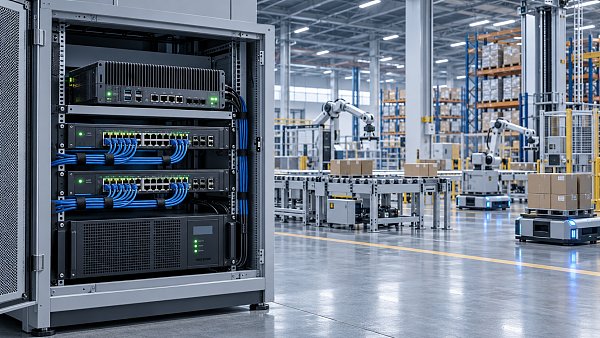
In factories, substations, transport systems, and edge computing deployments, the din rail PC often sits quietly inside the control cabinet, but its role is critical. It gathers data, runs HMI or SCADA workloads, bridges PLCs with MES or cloud platforms, and keeps field operations visible in real time.
That is why the choice of a din rail PC manufacturer should not be reduced to CPU generation, RAM size, or unit price. Procurement leaders need to assess supply continuity, thermal design, industrial validation, service response, and product lifecycle support over 3 to 7 years, sometimes longer in regulated or infrastructure-heavy projects.
Why manufacturer choice has a direct impact on uptime

A din rail PC is usually installed in demanding conditions: cabinet temperatures of 40°C to 55°C, vibration from nearby motors, voltage fluctuation, dust, and 24/7 operating cycles. In these environments, uptime depends less on brochure specifications and more on how the manufacturer engineers, tests, and supports the system.
Two products can appear similar on paper and still perform very differently in the field. One may throttle under heat after 6 months, while another maintains stable operation across a -20°C to 60°C range. For buyers, that difference translates into maintenance visits, line stoppages, and avoidable service costs.
Hardware reliability is only one layer of uptime
A reliable industrial PC is built from more than industrial-grade components. The manufacturer also determines board layout, power conditioning, passive cooling efficiency, BIOS stability, storage endurance, and I/O retention. Weakness in any one of these areas can turn a nominally rugged device into a recurring downtime risk.
For example, procurement teams should ask whether the system supports wide-range DC input such as 9V to 36V or 12V to 24V, whether it includes surge and reverse-polarity protection, and whether it was validated for continuous operation rather than short bench tests.
Common uptime failure paths in cabinet PCs
- Thermal buildup causing CPU throttling or unexpected shutdowns after 8 to 12 hours
- Poor power design leading to reboots during voltage dips or motor start events
- Consumer-grade SSDs wearing out early in high-write edge logging applications
- Loose or insufficiently retained I/O in vibration-prone control cabinets
- Firmware instability after OS image updates or peripheral integration changes
The table below shows how manufacturer-related factors influence actual uptime more than headline specifications alone. This comparison is useful during supplier prequalification and technical bid review.
The key takeaway is simple: uptime is shaped by engineering discipline and support structure, not by processor branding alone. A capable din rail PC manufacturer reduces hidden failure modes before the unit ever enters the cabinet.
Lifecycle instability creates expensive downtime later
Procurement teams often focus on initial delivery, but lifecycle risk can be more damaging than early lead time. If a manufacturer changes storage, chipset, I/O controller, or power subsystem without a controlled process, field images may need revalidation, certifications may need review, and spare inventory can become fragmented.
In practical terms, an unplanned component shift can delay a maintenance program by 2 to 6 weeks. In multi-site deployments with 50 to 500 units, this disruption can scale quickly. A stable manufacturer should provide notice periods, equivalent replacement guidance, and lifecycle visibility early in the sourcing cycle.
How procurement teams should evaluate a din rail PC manufacturer
For technical procurement, the most effective approach is to evaluate manufacturers in layers: product fitness, manufacturing consistency, documentation quality, after-sales structure, and lifecycle governance. This helps buyers compare suppliers on operational risk, not just quotation totals.
A practical vendor review process usually includes 4 stages: requirement definition, technical verification, pilot validation, and commercial negotiation. Each stage should have clear pass-fail criteria so the final choice supports uptime targets as well as budget constraints.
Core technical checks before supplier nomination
When reviewing a din rail PC manufacturer, procurement should work closely with controls engineers, IT, and maintenance stakeholders. The goal is to verify whether the platform fits the real environment rather than a generic industrial use case.
Six checks that matter in real projects
- Confirm temperature range under load, not idle conditions.
- Check supported operating systems, image deployment method, and BIOS control.
- Review I/O mix: LAN, COM, USB, CAN, DI/DO, wireless, or fieldbus expansion.
- Verify storage endurance class for data logging frequency and write volume.
- Ask for MTBF methodology, not just a headline number.
- Clarify spare part availability and recommended stocking period, often 12 to 24 months.
The next table can be used as a practical procurement checklist during supplier meetings, RFQ scoring, or engineering sign-off reviews. It translates abstract quality claims into observable criteria.
This checklist helps separate catalog resellers from true manufacturing partners. The best din rail PC manufacturer is usually the one that can answer operational questions with verifiable engineering detail, not the one with the longest feature list.
Commercial terms that support continuity
Pricing matters, but procurement should also examine lead times, batch consistency, warranty handling, and RMA workflow. A unit that is 8% cheaper may become more expensive if replacement turnaround takes 4 weeks and there is no advance replacement option for critical assets.
Ask whether the manufacturer supports pilot quantities of 2 to 10 units, rolling forecasts, or scheduled deliveries. For infrastructure or automation programs, continuity often depends on whether the supplier can hold stable configurations across multiple purchase cycles.
Useful commercial questions
- What is the standard production lead time: 2 to 4 weeks, or longer under allocation pressure?
- Is there a controlled revision process for BOM or firmware changes?
- Can the manufacturer provide image preload, labeling, or port configuration customization?
- How are dead-on-arrival cases and field failures handled across regions?
Where poor manufacturer selection creates risk in real deployments
The consequences of selecting the wrong supplier are rarely immediate in the quotation phase. They show up after installation, when systems are exposed to heat, noise, uptime targets, and maintenance realities. That is why buyer diligence must extend past specification sheets.
In edge AI, factory automation, energy, and transport projects, the din rail PC often becomes a single point of orchestration. If it fails, data visibility, protocol conversion, and operator access may all be interrupted at once. Recovery time can range from 30 minutes to several hours depending on site readiness.
Typical deployment risks
One common risk is overspecifying performance while underspecifying environmental fit. A high-performance platform with poor passive cooling may look attractive during evaluation but behave unpredictably in a densely packed cabinet. Another risk is selecting a supplier that cannot maintain interface consistency across batches.
For procurement, these problems translate into repeat site visits, delayed commissioning, and fragmented spare management. Even a small fleet of 20 systems can become hard to maintain if BIOS revisions, I/O mapping, or storage models differ unexpectedly.
Red flags during sourcing
- No clear answer on lifecycle duration or end-of-life planning
- Generic “industrial grade” claims without test conditions
- Little visibility into validation methods for vibration, heat, or power quality
- Slow engineering response before order placement, which often predicts slow support later
- No structured documentation for firmware, BIOS, or image management
Why engineering-first suppliers align better with procurement goals
For buyers serving technical organizations, the strongest suppliers are usually those that treat product selection as a systems decision. They ask about workload, enclosure heat, vibration profile, power source, protocol stack, and expected service life before they recommend a model.
This engineering-first approach matches the decision philosophy behind data-driven industrial sourcing. It reduces trial-and-error, shortens qualification cycles, and gives procurement defensible criteria when balancing cost, resilience, and long-term support.
A practical selection framework for buyers
If your team is comparing multiple din rail PC manufacturer options, use a weighted scorecard. A common structure is 30% technical fitness, 25% lifecycle stability, 20% service responsiveness, 15% commercial terms, and 10% documentation quality. The exact weighting can vary by industry, but the framework helps prevent price-only decisions.
Shortlist suppliers that can support both immediate deployment and long-horizon maintainability. In many cases, the lowest-risk vendor is not the cheapest at day 1, but the one that protects uptime over 36 to 60 months.
Recommended qualification workflow
- Define environment, interfaces, software image, and service-life target.
- Request detailed validation data, lifecycle policy, and change-control process.
- Run a pilot under realistic cabinet load and ambient conditions for 2 to 4 weeks.
- Review support responsiveness, documentation completeness, and spare strategy before final award.
Choosing a din rail PC manufacturer is ultimately a risk-management decision wrapped inside a hardware purchase. Buyers who evaluate beyond specifications are more likely to secure consistent uptime, smoother maintenance, and fewer lifecycle surprises across the installed base.
For organizations that value engineering truth over marketing language, the right next step is a structured technical review. Contact us to discuss application requirements, compare manufacturer options with greater clarity, and get a more reliable din rail PC sourcing strategy for your deployment.
Search News
Hot Articles
- Carbon Fiber StructuresHow to Specify Aerospace Carbon Fiber Assemblies for Lightweight, Load-Bearing PartsJul 11, 2026
- Machine VisionXiaomi, Alibaba DAMO Academy Drive Open-Source Robotics Model Ecosystem, Lowering Algorithm Development Barriers for Overseas SMEs Adopting Chinese Robotics SolutionsMar 30, 2026
- Cobots & ArmsShanxi 'AI+' Conference Showcases Embodied Intelligence with Multinational Buyer Engagement: Key Industry ImplicationsMar 30, 2026
Popular Tags
Recommended News
 Jul 11, 2026How to Specify Aerospace Carbon Fiber Assemblies for Lightweight, Load-Bearing PartsAerospace carbon fiber assemblies: learn how to specify laminate design, load data, joining methods, and inspection controls for lighter, reliable load-bearing aerospace parts.Elena Rostova (UAV Systems Researcher)
 Mar 30, 2026Xiaomi, Alibaba DAMO Academy Drive Open-Source Robotics Model Ecosystem, Lowering Algorithm Development Barriers for Overseas SMEs Adopting Chinese Robotics SolutionsXiaomi & Alibaba DAMO Academy's open-source robotics models lower algorithm barriers for global SMEs. Boost efficiency in manufacturing, logistics & smart retail with ROS 2 compatible solutions.TSV Data Lab
 Mar 30, 2026Shanxi 'AI+' Conference Showcases Embodied Intelligence with Multinational Buyer Engagement: Key Industry ImplicationsShanxi 'AI+' Conference highlights embodied intelligence with Tesla, Ubtech & Jiantao showcasing multimodal robotics. 40+ global buyers validated tech on-site, creating new B2B channels for industrial automation & AI solutions.Chen Wei (Automation Lead Engineer)
 Mar 30, 2026Zhongguancun Unveils 6G Integrated Sensing-Computing-Intelligence Platform to Empower Embodied Robots for Global Industrial ApplicationsZhongguancun's new 6G platform revolutionizes industrial robotics with <10ms latency, empowering global automotive, logistics & port automation. Discover how this tech boosts China's smart manufacturing exports.TSV Data Lab
 Mar 30, 2026Mech-Mind Tianjin Embodied Intelligence R&D and Production Base Goes Live, Cutting Delivery Time by 20%–30% for Global Customized AMR+Vision SolutionsMech-Mind's Tianjin AMR+Vision production base cuts delivery time by 20%-30% for欧美 & Latin American markets. Discover how this PLd-certified facility accelerates customized robotics solutions for smart manufacturing and logistics.Chen Wei (Automation Lead Engineer)
 Mar 30, 2026Boao Forum Reveals 'Co-evolution of Big and Small Brains' Trend in Humanoid Robots, China's Embodied Intelligence Accelerates Adaptation to Overseas Manufacturing Service ScenariosDiscover how China's humanoid robots, featuring 'Co-evolution of Big and Small Brains,' are revolutionizing global manufacturing. Learn about Embodied Tian Gong 3.0's ISO compliance and overseas deployment at Boao Forum 2026.Chen Wei (Automation Lead Engineer)
 Mar 30, 2026China Railway Industrial Secures Patent for Embodied Robotics in Material Handling, Boosting High-Precision Delivery Capabilities for Overseas Infrastructure and Manufacturing ProjectsChina Railway Industrial's new patent for embodied robotics in material handling boosts high-precision delivery for global infrastructure & manufacturing. Discover how this innovation enhances logistics accuracy in automotive, rail transit & EPC projects.Chen Wei (Automation Lead Engineer)
 Oct 10, 2026How to Select a Machine Performance Monitoring Platform for OEE and Downtime ReductionMachine performance monitoring platform selection guide: validate machine states, OEE data, downtime reasons, integrations, and scalability to reduce losses with confidence.TSV Data Lab
 Oct 08, 2026How to Machine Inconel 625 Blades Without Heat Cracks or Edge ChippingInconel 625 blade machining guide: prevent heat cracks, edge chipping, chatter, and work hardening with proven tooling, cooling, fixturing, and inspection strategies.Dr. Marcus Vance
 Oct 07, 2026How to Evaluate an HMI Panel Distributor for Industrial Automation ProjectsHMI panel distributor evaluation guide: verify technical compatibility, traceability, supply reliability, lifecycle support, and total cost for automation projects.Victor Lin (Chief Software Architect)
 Oct 06, 2026Navigation Fault Tolerance Standards for AMRs: What Safety Teams Must VerifyNavigation fault tolerance standards: learn what AMR safety teams must verify, from localization loss and sensor faults to stopping distance, safe restart, and site-specific validation.Chen Wei (Automation Lead Engineer)
 Oct 05, 2026Calculating Edge Computing Total Cost of Ownership Across Distributed SitesEdge computing ownership cost explained: calculate deployment, energy, connectivity, security, remote support, and refresh costs across distributed sites.TSV Data Lab
 Oct 04, 2026CAD/CAM Benchmarking in the GCC: What Manufacturers Should Ask a ConsultantCAD CAM benchmark consultant GCC guide: learn the key questions manufacturers should ask to validate post-processors, workflows, machine performance, and production risk.Victor Lin (Chief Software Architect)
 Oct 03, 2026Selecting Automotive Radar Sensor Modules for ADAS Range, Resolution, and IntegrationAutomotive radar sensor module selection guide for ADAS: compare range, resolution, field of view, latency, and integration to build safer, reliable vehicle systems.TSV Data Lab
 Oct 02, 2026How to Qualify Machined Parts Suppliers for Hard Tech ProgramsHard tech supply chain machined parts demand rigorous supplier qualification. Learn how to assess capability, traceability, quality controls, and delivery resilience.Dr. Marcus Vance
 Oct 01, 2026How to Select an Outdoor Security Radar Sensor for Perimeter Detection?Outdoor security radar sensor selection guide: compare range, accuracy, false-alarm control, integration, and field testing for reliable perimeter detection.TSV Data Lab
 Sep 30, 2026How to Evaluate Solid-State LiDAR Hardware for Outdoor Autonomous VehiclesSolid state LiDAR hardware evaluation guide for outdoor autonomous vehicles—compare range, point-cloud quality, environmental resilience, integration, and safety.TSV Data Lab
 Sep 29, 2026ISO 9283 Repeatability: How to Evaluate Cobot Positioning PerformanceISO 9283 cobot repeatability explained: learn how payload, reach, approach direction, and test conditions affect positioning performance and cell capability.Chen Wei (Automation Lead Engineer)
 Oct 10, 2026When does the cost of industrial robots pay back in high-volume production?Cost of industrial robots: discover how high-volume manufacturers calculate payback through uptime, cycle time, labor, quality, and integration before investing.Chen Wei (Automation Lead Engineer)
 Oct 09, 2026What does a manufacturing robot really cost beyond the purchase price?Manufacturing robot cost goes far beyond the purchase price. Explore integration, tooling, safety, uptime, and total ownership factors for smarter automation investments.Chen Wei (Automation Lead Engineer)
 Oct 08, 2026AGV vs. AMR: Which Is Better for Frequently Changing Routes?Which is better for changing routes? Compare AGVs and AMRs for flexible navigation, docking precision, traffic control, and faster facility reconfiguration.Chen Wei (Automation Lead Engineer)
 Oct 07, 2026How Much Does an Automated Guided Vehicle Cost in 2026?How much does an automated guided vehicle cost in 2026? Explore AGV price ranges, hidden deployment costs, and smart buying factors for stronger ROI.Chen Wei (Automation Lead Engineer)
 Oct 06, 2026Are Collaborative Robots Safe Enough to Operate Without Fencing?Are collaborative robots safe enough to work without fencing? Explore risk assessment, safeguarding options, and practical guidance for safer, productive cobot cells.Chen Wei (Automation Lead Engineer)
 Oct 05, 2026What Causes Machine Vision Systems to Miss Small Defects?What causes machine vision systems to miss small defects? Discover how lighting, optics, motion, and AI thresholds affect detection—and prevent costly escapes.TSV Data Lab