Edge AI inference speed in FPS drops for reasons specs miss
Publication Date
author
Why does edge ai inference speed fps collapse in real deployments when datasheets look perfect? For engineers, buyers, and decision-makers comparing solid state lidar point cloud density, vision sensor framerate vs resolution, industrial iot gateway latency, and edge computing power consumption, the missing variables are often thermal limits, memory bandwidth, sensor noise, and pipeline bottlenecks. This article explains why real-world performance drops happen and how to benchmark beyond specs.
For hard-tech teams, the difference between 60 FPS on a lab bench and 18 FPS in production is not a rounding error. It can determine whether an AGV stops safely, whether a UAV detects obstacles in time, or whether a machine vision station misses defects at line speed. In procurement and R&D review cycles, many failures happen because the published TOPS, nominal sensor frame rate, or interface bandwidth looked sufficient on paper, but the full system budget was never stress-tested.
That is exactly where a data-first evaluation approach matters. In edge AI, performance is not a single chip number. It is the result of a pipeline: sensor capture, image signal processing, pre-processing, memory movement, model execution, post-processing, storage, and network handoff. If any stage saturates, inference speed in FPS drops, even when the accelerator itself remains underutilized.
For information researchers, operators, procurement teams, and enterprise decision-makers, the practical question is simple: how do you separate theoretical specs from deployable performance? The answer starts by understanding which variables are usually omitted from datasheets and which benchmark methods reveal the real bottlenecks.
Why datasheet FPS and field FPS diverge
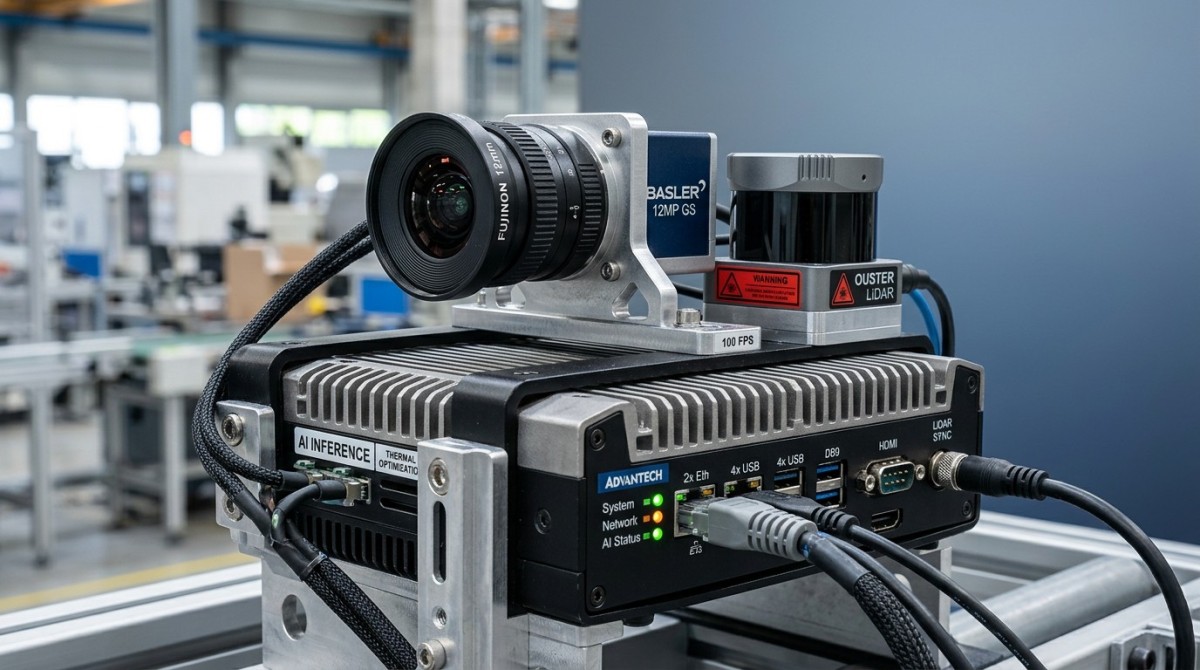
A datasheet often reports the best-case condition: one model, one input size, short burst runtime, controlled temperature, optimized memory path, and minimal background services. Real deployments rarely resemble that setup. An edge AI box in a factory may process 2 to 4 camera streams, run protocol conversion, log events, and maintain a UI at the same time. Under those conditions, the advertised FPS can drop by 30% to 70%.
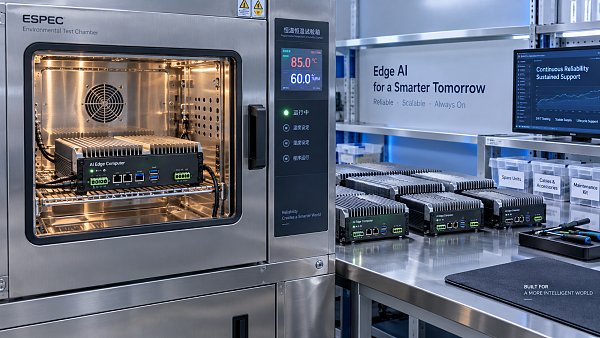
The first hidden variable is sustained thermal behavior. A processor that holds peak clocks for 3 minutes at 25°C ambient may throttle after 20 to 40 minutes inside a sealed enclosure at 40°C to 50°C. Once clock frequency falls, memory and compute throughput both decline. For vision inference, even a 15% frequency drop can translate into a much larger FPS reduction if the pipeline was already near saturation.
The second hidden variable is memory bandwidth. Many buyers focus on accelerator TOPS but ignore DRAM type, bus width, and shared memory contention. A model that fits comfortably in cache at 640 × 640 may trigger repeated memory fetches at 1280 × 1280. If the system also handles LiDAR point cloud filtering or video encoding, contention intensifies. In practice, memory pressure is one of the most common reasons edge AI inference speed collapses despite strong compute specs.
The third variable is sensor-side noise and preprocessing cost. A camera specified at 120 fps does not guarantee 120 useful frames for AI. Low-light scenes increase denoising workload. Wide dynamic range modes may add processing latency. On LiDAR systems, higher point cloud density improves perception fidelity, but it also raises filtering, synchronization, and fusion overhead. The AI model may not be the slowest stage anymore.
Common assumptions that fail in production
Several procurement assumptions repeatedly create mismatch between specification review and site performance:
- Assuming accelerator TOPS scales linearly to application FPS without checking model precision, operator support, and memory movement.
- Assuming sensor frame rate equals AI throughput, while ignoring ISP load, image resize time, and multi-stream synchronization.
- Assuming a fanless unit at 10 W to 15 W behaves the same at 25 W to 30 W sustained load in a dusty cabinet.
- Assuming network latency is irrelevant, even though gateway traffic, MQTT messaging, or edge-to-cloud buffering may consume CPU cycles.
The table below shows why “spec-complete” evaluation is not “deployment-complete” evaluation for edge AI systems used in automation, UAV payloads, and industrial sensing.
The key conclusion is that published specs are component indicators, not system guarantees. For any buyer comparing edge computing power consumption, vision sensor framerate vs resolution, or industrial IoT gateway latency, the real purchasing risk lies in the interactions among those components over time.
The four bottleneck layers that usually cause FPS collapse
When field performance drops, the root cause usually sits in one of four layers: sensor input, data movement, compute execution, or system integration. Treating the issue as “the AI chip is too slow” often leads to the wrong fix. In many deployed systems, the chip is only one constraint among several parallel bottlenecks.
1. Sensor and capture layer
Higher resolution is expensive in more than one way. Moving from 2 MP to 8 MP can increase raw image payload by roughly 4×, but total preprocessing time may rise even more if resizing, distortion correction, and compression are active. In machine vision, a camera at 60 fps may only deliver stable AI throughput near 20 to 30 fps once image enhancement and exposure adaptation are enabled.
2. Memory and bus layer
CSI, PCIe, USB, LPDDR, and storage interfaces form the transit network of edge AI. If a device runs multi-camera capture, LiDAR parsing, and logging simultaneously, bus contention can become severe. A design that appears fine at 8 GB memory may behave differently from a 16 GB configuration if model buffers, frame queues, and post-processing all compete for space. Swap activity or queue overflow can collapse FPS long before compute reaches 100% utilization.
3. Compute and runtime layer
Not all neural network operators map cleanly to every NPU or GPU runtime. If unsupported layers fall back to CPU execution, latency rises sharply. A model benchmarked at INT8 may also lose speed if production uses FP16 for accuracy reasons. Batch size matters too. Many vendors publish performance at batch 4 or batch 8, while real-time control applications need batch 1. That single change can materially reduce FPS.
4. System and environmental layer
Industrial deployment adds vibration, dust, heat soak, and variable network load. In UAV or mobile robotics applications, power budgets are even tighter. A system consuming 18 W in nominal mode may spike above 25 W under burst workloads, forcing thermal reduction or battery trade-offs. That matters for patrol drones, AMRs, and outdoor sensor nodes where every watt affects mission duration.
The following table maps these bottleneck layers to their typical symptoms and validation methods. This helps engineering and procurement teams ask better questions before pilot deployment.
In most projects, at least 2 bottleneck layers interact. That is why isolated chip benchmarks often overstate deployable throughput. A realistic edge AI evaluation should always pair performance data with power, thermal, and interface observations.
How to benchmark beyond specs: a practical framework
A useful benchmark framework must test the full signal path, not just model execution time. For procurement reviews, this is essential because system qualification decisions may involve 6-figure or 7-figure equipment programs. A narrow benchmark can hide expensive redesign work later, especially in robotics, smart sensing, and industrial inspection lines.
Start with four measurable outputs
At minimum, benchmark reports should include sustained FPS, end-to-end latency, watt-per-stream, and dropped-frame ratio. “Sustained” should mean no less than 30 minutes for lab trials and preferably 2 to 8 hours for pre-deployment evaluation. Short tests reward burst behavior and hide thermal rollover.
For machine vision and solid-state LiDAR fusion, add synchronization drift and data backlog metrics. A system can preserve average FPS while silently increasing jitter or queue delay. In control loops, a 50 ms average with 120 ms spikes may be less acceptable than a steady 70 ms path. Operators care about predictability, not only headline throughput.
Recommended benchmark steps
- Run a baseline test at 25°C ambient with a single stream and record batch-1 latency, FPS, and power draw.
- Increase to target deployment load, such as 2 cameras plus 1 gateway task, and run for at least 60 minutes.
- Repeat at higher ambient conditions, commonly 35°C and 45°C, to observe thermal throttling behavior.
- Inject realistic data complexity: low-light scenes, higher point cloud density, or motion blur, depending on use case.
- Log dropped frames, queue length, CPU fallback events, and network or storage latency during the full run.
This framework converts procurement from spec comparison to risk comparison. It also aligns engineering and purchasing teams around measurable acceptance criteria instead of marketing language. For enterprise decision-makers, that shift reduces supplier qualification cycles and lowers downstream troubleshooting cost.
A benchmark scorecard for cross-vendor comparison
The scorecard below is useful when comparing multiple edge AI platforms for robotics, UAV sensing, or industrial gateway integration.
Using a scorecard like this helps teams avoid buying for peak demo numbers alone. It also creates a cleaner basis for technical RFQs, FAT criteria, and supplier performance discussions.
What engineers, buyers, and decision-makers should ask before approval
Different stakeholders evaluate edge AI systems through different lenses, but all of them need the same operational truth. Engineers want deterministic behavior, operators want stable uptime, procurement wants comparable criteria, and executives want lower trial-and-error cost. A strong pre-approval checklist should translate those needs into shared, testable questions.
Questions for engineering and operations
- What is the sustained FPS after 1 hour, not just the first 3 minutes?
- At what ambient temperature does clock throttling begin, and how quickly does it affect latency?
- Which model operators fall back to CPU, and what is the CPU utilization at target load?
- How does performance change when resolution rises from 640 × 640 to 1280 × 720 or 1920 × 1080?
These questions matter because operational failures usually appear at edges: higher temperature, more noise, one extra stream, or one protocol service too many. If the vendor cannot provide this data, the integration risk remains with the buyer.
Questions for procurement and management
- Is the quoted performance tied to a specific model version, runtime SDK, or cooling design?
- What acceptance test will be used during pilot, FAT, or site commissioning?
- What is the expected integration lead time: 2 weeks, 6 weeks, or longer if driver tuning is needed?
- How much headroom remains if throughput demand grows by 20% to 30% next year?
This is where a benchmarking-oriented partner adds value. Instead of accepting broad claims such as “high performance” or “industrial grade,” teams should require boundary conditions, environmental assumptions, and reproducible test logs. That aligns with the engineering principle that parameters do not lie and tolerances determine success.
Typical red flags in vendor comparisons
Watch for benchmark numbers reported without model name, input size, ambient condition, runtime version, or test duration. Also be cautious when one performance figure is used across unrelated applications such as defect inspection, obstacle detection, and multi-sensor fusion. The workload profiles differ too much for a single FPS claim to carry universal meaning.
Edge AI inference speed in FPS drops for reasons specs miss, and the cost of ignoring those reasons appears later as delayed commissioning, safety margin reduction, or extra hardware spend. For organizations building robotics, UAV, sensing, or gateway platforms, better questions up front save months of rework.
FAQ: selecting and validating edge AI performance in the real world
How much FPS loss is normal between the lab and deployment?
A modest drop of 10% to 20% can be normal when moving from ideal lab conditions to realistic workloads. A larger decline of 30% to 70% usually indicates thermal throttling, memory contention, or pipeline imbalance. The acceptable threshold depends on the application. A passive monitoring node may tolerate variation, while a safety-critical robotics loop may not.
Is higher TOPS always better for edge AI inference speed?
No. TOPS is only one indicator. If your model triggers CPU fallback, if memory bandwidth is limited, or if thermal design cannot sustain clocks, a higher-TOPS device may still deliver lower real FPS. For procurement, sustained batch-1 latency, watt-per-stream, and dropped-frame ratio are often better decision metrics than TOPS alone.
What should be included in an acceptance test?
A useful acceptance test should define at least 4 items: target model, input resolution, ambient temperature range, and test duration. It should also record end-to-end latency, sustained FPS, power draw, and error events. For industrial sites, a 60-minute minimum is practical, while higher-risk deployments may require 4-hour or full-shift validation.
Which applications are most vulnerable to hidden FPS collapse?
Multi-camera machine vision, LiDAR-camera fusion, AMR navigation, UAV obstacle avoidance, and industrial gateways running AI plus protocol tasks are especially sensitive. These systems combine sensor bandwidth, synchronization pressure, and real-time response requirements. As a result, they expose gaps between nominal specs and deployment performance faster than single-stream demo setups.
If your team is comparing platforms for sensors, edge AI, industrial IoT gateways, robotics, or UAV payload computing, do not stop at the datasheet. Validate sustained behavior, thermal thresholds, memory headroom, and pipeline integrity under target conditions. TechStat Vanguard focuses on engineering truth through data-driven benchmarking, helping technical teams reduce trial-and-error cost and shorten supplier qualification cycles. To assess real-world edge AI performance with clearer criteria, contact us to discuss your benchmark framework, technical comparison needs, or a more deployment-ready evaluation plan.
Search News
Hot Articles
- Carbon Fiber StructuresHow to Specify Aerospace Carbon Fiber Assemblies for Lightweight, Load-Bearing PartsJul 11, 2026
- Machine VisionXiaomi, Alibaba DAMO Academy Drive Open-Source Robotics Model Ecosystem, Lowering Algorithm Development Barriers for Overseas SMEs Adopting Chinese Robotics SolutionsMar 30, 2026
- Cobots & ArmsShanxi 'AI+' Conference Showcases Embodied Intelligence with Multinational Buyer Engagement: Key Industry ImplicationsMar 30, 2026
Popular Tags
Recommended News
 Jul 11, 2026How to Specify Aerospace Carbon Fiber Assemblies for Lightweight, Load-Bearing PartsAerospace carbon fiber assemblies: learn how to specify laminate design, load data, joining methods, and inspection controls for lighter, reliable load-bearing aerospace parts.Elena Rostova (UAV Systems Researcher)
 Mar 30, 2026Xiaomi, Alibaba DAMO Academy Drive Open-Source Robotics Model Ecosystem, Lowering Algorithm Development Barriers for Overseas SMEs Adopting Chinese Robotics SolutionsXiaomi & Alibaba DAMO Academy's open-source robotics models lower algorithm barriers for global SMEs. Boost efficiency in manufacturing, logistics & smart retail with ROS 2 compatible solutions.TSV Data Lab
 Mar 30, 2026Shanxi 'AI+' Conference Showcases Embodied Intelligence with Multinational Buyer Engagement: Key Industry ImplicationsShanxi 'AI+' Conference highlights embodied intelligence with Tesla, Ubtech & Jiantao showcasing multimodal robotics. 40+ global buyers validated tech on-site, creating new B2B channels for industrial automation & AI solutions.Chen Wei (Automation Lead Engineer)
 Mar 30, 2026Zhongguancun Unveils 6G Integrated Sensing-Computing-Intelligence Platform to Empower Embodied Robots for Global Industrial ApplicationsZhongguancun's new 6G platform revolutionizes industrial robotics with <10ms latency, empowering global automotive, logistics & port automation. Discover how this tech boosts China's smart manufacturing exports.TSV Data Lab
 Mar 30, 2026Mech-Mind Tianjin Embodied Intelligence R&D and Production Base Goes Live, Cutting Delivery Time by 20%–30% for Global Customized AMR+Vision SolutionsMech-Mind's Tianjin AMR+Vision production base cuts delivery time by 20%-30% for欧美 & Latin American markets. Discover how this PLd-certified facility accelerates customized robotics solutions for smart manufacturing and logistics.Chen Wei (Automation Lead Engineer)
 Mar 30, 2026Boao Forum Reveals 'Co-evolution of Big and Small Brains' Trend in Humanoid Robots, China's Embodied Intelligence Accelerates Adaptation to Overseas Manufacturing Service ScenariosDiscover how China's humanoid robots, featuring 'Co-evolution of Big and Small Brains,' are revolutionizing global manufacturing. Learn about Embodied Tian Gong 3.0's ISO compliance and overseas deployment at Boao Forum 2026.Chen Wei (Automation Lead Engineer)
 Mar 30, 2026China Railway Industrial Secures Patent for Embodied Robotics in Material Handling, Boosting High-Precision Delivery Capabilities for Overseas Infrastructure and Manufacturing ProjectsChina Railway Industrial's new patent for embodied robotics in material handling boosts high-precision delivery for global infrastructure & manufacturing. Discover how this innovation enhances logistics accuracy in automotive, rail transit & EPC projects.Chen Wei (Automation Lead Engineer)
 Oct 21, 2026China’s Industrial Robot Exports Near RMB 10 Billion in First Nine Months of 2026China’s industrial robot exports neared RMB 10 billion in January–September 2026, with value rising faster than volume. Explore the data and what it could mean for suppliers.Chen Wei (Automation Lead Engineer)
 Oct 21, 2026Low-Latency Industrial Data Processing: Pricing and Key Cost DriversExplore industrial data latency price drivers, from edge hardware to integration and support. Learn how to compare quotes, verify performance, and avoid unnecessary costs.TSV Data Lab
 Oct 20, 2026KUKA Launches iiQKA.AI Vision to Simplify Industrial Image ProcessingKUKA iiQKA.AI Vision simplifies industrial image processing with controller-based 2D and 3D vision. Explore drag-and-drop setup for vision-guided automation.TSV Data Lab
 Oct 20, 2026Smart Industrial Edge Devices: Key Criteria for Legacy PLC IntegrationChoose smart industrial edge devices for legacy PLC integration. Discover key criteria for compatibility, data quality, security, and reliable collection without disrupting control.TSV Data Lab
 Oct 19, 2026Choosing a Radar Sensor by Application: Range, Resolution, and Field of ViewSimplify radar sensor application based product selection. Compare range, resolution, and field of view to avoid blind spots and choose with confidence. Explore the guide.TSV Data Lab
 Oct 18, 2026Comparing Material Options for Procurement: Specs, Costs, and Supply RisksExplore procurement oriented technical content on material options, specs, costs, and supply risks. Compare alternatives to cut hidden expenses and make confident sourcing decisions.Dr. Marcus Vance
 Oct 17, 20265-Axis CNC Positioning Accuracy: How to Interpret ISO 230-2 Test ResultsAssess 5 axis CNC machining positioning accuracy with ISO 230-2. Learn to interpret repeatability, reversal error, and test conditions to compare suppliers and make confident acceptance decisions.Dr. Marcus Vance
 Oct 16, 2026Choosing a Rugged Edge AI Box Supplier: Thermal Tests and Lifecycle SupportChoose a rugged edge AI box supplier with proven thermal performance and reliable lifecycle support. Discover the tests and commitments to verify before you buy.TSV Data Lab
 Oct 15, 2026R&D Cost Reduction Services: How to Evaluate Fees, Savings, and ROIEvaluate R&D cost reduction services with confidence. Compare fees, verify savings, and calculate ROI without compromising performance. Discover how to choose a provider that delivers real value.Chen Wei (Automation Lead Engineer)
 Oct 21, 2026How Should You Balance Cobot Payload Against Reach?Explore cobot payload versus reach to choose the right robot. Learn how tooling, load limits, workspace, and cycle time affect performance—and avoid costly selection mistakes.Chen Wei (Automation Lead Engineer)
 Oct 20, 2026How Do You Measure Industrial IoT Gateway Latency Under Load?Measure industrial IoT gateway latency under load with reliable timestamps, realistic traffic, and tail-latency analysis. Discover how to expose bottlenecks and choose the right gateway.TSV Data Lab
 Oct 19, 2026How Do You Verify That Precision Machined Parts Meet Tolerances?Master precision machining tolerance verification with the right tools, datum setups, and acceptance rules. Learn how to validate parts confidently and reduce costly inspection errors.Dr. Marcus Vance
 Oct 18, 2026What Should an AS9100 Machining Supplier Checklist Include?Build an AS9100 machining supplier checklist that verifies capability, traceability, inspection, and outsourced processes. Discover what to check before approving your next aerospace supplier.Dr. Marcus Vance
 Oct 17, 2026How Should You Interpret Industrial Robot Repeatability Specs?Decode industrial robot repeatability specifications, understand ISO 9283 test conditions, and avoid costly selection mistakes. Learn how to verify performance for your process.Chen Wei (Automation Lead Engineer)
 Oct 16, 2026How Can You Fairly Compare MTBF Across Industrial Servo Motors?Make a fair industrial servo motor MTBF comparison with matched operating profiles, failure criteria, and confidence bounds. Discover how to assess reliability beyond advertised numbers.Chen Wei (Automation Lead Engineer)
 Oct 15, 2026How Should You Compare TechStat Vanguard 5-Axis CNC Tolerances?TechStat Vanguard 5-axis CNC tolerance comparison: learn how to verify part accuracy, assess inspection evidence, and choose suppliers that reliably meet your drawing requirements.Dr. Marcus Vance
 Oct 14, 2026Drone Frame Composites: Carbon Fiber vs. Fiberglass for Weight and StiffnessExplore drone structural materials composites: compare carbon fiber and fiberglass for weight, stiffness, cost, and antenna compatibility. Find the right material for your drone frame.Elena Rostova (UAV Systems Researcher)