When fanless PC heat buildup hurts system stability
Publication Date
author
When fanless PC heat buildup starts eroding uptime, system stability becomes a measurable engineering risk—not a minor inconvenience. For teams evaluating fanless pc thermal dissipation test results, industrial pc mtbf calculation, edge ai inference latency industrial, and opc ua server response time, thermal behavior directly affects reliability, control precision, and long-term deployment confidence across demanding industrial environments.
In industrial automation, edge AI, machine vision, and unmanned platforms, a fanless PC is often selected to reduce dust ingress, maintenance points, and acoustic noise. Yet the absence of active airflow means thermal design becomes a first-order engineering constraint. Once internal heat is not transferred efficiently to the chassis and then to ambient air, the consequences can cascade from CPU throttling to communication jitter, storage errors, and unplanned restarts.
For information researchers, operators, procurement teams, and enterprise decision-makers, the key question is not whether fanless architecture is good or bad. The real question is under what load, ambient temperature, enclosure design, and deployment pattern a fanless system remains stable over 24/7 operation. In hard-tech environments, parameters matter more than slogans, and thermal margins determine whether reliability claims hold up in the field.
Why Fanless PC Heat Buildup Turns Into a Stability Problem
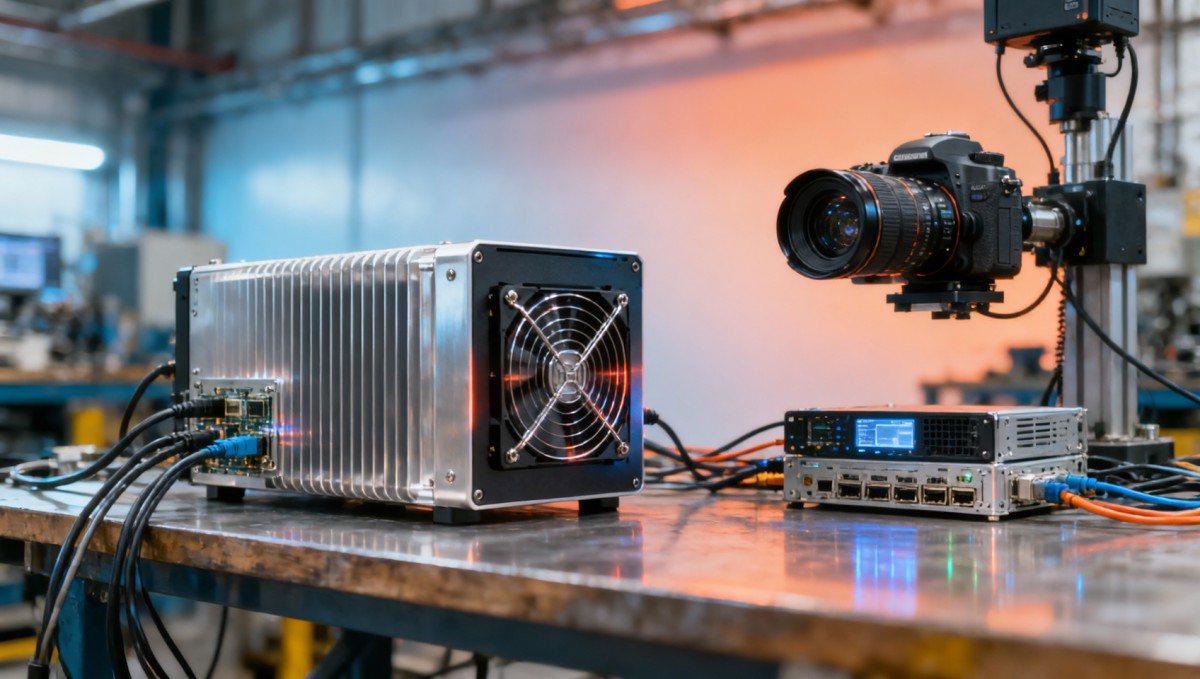
A fanless PC typically relies on passive conduction and convection. Heat generated by the CPU, GPU, RAM, NVMe storage, power circuitry, and network controllers must move through heat spreaders, heat pipes, thermal pads, and the chassis surface. If any point in that path has weak contact pressure, poor material quality, or limited external surface area, internal temperature rises faster than the enclosure can reject it.
The most immediate effect is frequency throttling. A processor designed to boost at a higher clock under burst loads may begin reducing frequency once junction temperatures approach critical limits such as 85°C, 90°C, or above, depending on architecture. In edge AI workloads, that can increase inference latency from a normal 15–25 ms range to 35–60 ms or more. In real-time control, this delay is not merely a benchmark issue; it can disrupt deterministic task timing.
Heat buildup also affects components beyond the CPU. Industrial SSDs may reduce write speed under sustained temperature stress. Voltage regulators operate less efficiently at higher temperatures. Ethernet controllers handling OPC UA, Modbus TCP, or EtherNet/IP traffic can show higher packet delay variation. Over 8-hour, 16-hour, or 24/7 duty cycles, small thermal penalties accumulate into meaningful uptime loss.
For procurement teams, this means a datasheet listing only processor type and I/O count is incomplete. A stable fanless PC must be evaluated as a thermal system, not only as a compute platform. Ambient range, mounting orientation, enclosure spacing, workload profile, and chassis material all influence whether the product will meet field expectations after 6 months, 12 months, or 36 months of continuous service.
Common thermal stress symptoms seen in deployment
- Intermittent system lag during peak CPU or GPU utilization above 70% for more than 20–30 minutes.
- OPC UA server response time drifting from sub-50 ms performance to 80–120 ms under combined analytics and communications load.
- Unexpected shutdowns or reboots in ambient temperatures between 45°C and 60°C, especially in sealed cabinets.
- Accelerated storage wear and write throttling during high-frequency logging or image capture workloads.
Which Workloads Make Thermal Buildup Worse in Real Industrial Use
Not all fanless deployments face the same heat profile. A light HMI terminal displaying process dashboards may idle below 20% CPU utilization for most of the day. By contrast, an edge AI gateway running vision inference, local database caching, protocol conversion, and VPN encryption can sustain 60%–95% load for hours. The higher and longer the load, the less forgiving passive cooling becomes.
Machine vision is one of the most thermal-intensive use cases. Processing 2 to 4 camera streams at 1080p or higher, with pre-processing, object detection, and result transmission, creates simultaneous heat in compute, memory, and networking paths. If the chassis is compact and mounted close to other heat sources, the fanless PC may operate with only a 5°C–10°C margin before throttling begins.
Another demanding scenario is industrial protocol concentration. A single system may act as an OPC UA server, data logger, historian cache, and edge analytics node. Here, system stability depends not only on average temperature but also on thermal spikes during polling cycles, encryption events, or storage flush intervals. These spikes can be short, but repeated every 1–5 seconds, they stress the thermal path continuously.
Outdoor and mobile deployments raise the difficulty further. In AGVs, UAV ground stations, roadside cabinets, and solar-powered monitoring points, ambient temperature may swing from 0°C in the morning to 50°C in direct afternoon sun. Passive cooling works best when there is temperature difference between chassis and ambient air. As that delta shrinks, heat rejection efficiency drops sharply.
Typical workload-to-risk mapping
The table below shows how thermal pressure changes by application type. It is not a universal rule, but it provides a practical framework for pre-procurement risk assessment and deployment planning.
Search News
Hot Articles
- Carbon Fiber StructuresHow to Specify Aerospace Carbon Fiber Assemblies for Lightweight, Load-Bearing PartsJul 11, 2026
- Machine VisionXiaomi, Alibaba DAMO Academy Drive Open-Source Robotics Model Ecosystem, Lowering Algorithm Development Barriers for Overseas SMEs Adopting Chinese Robotics SolutionsMar 30, 2026
- Cobots & ArmsShanxi 'AI+' Conference Showcases Embodied Intelligence with Multinational Buyer Engagement: Key Industry ImplicationsMar 30, 2026
Popular Tags
Recommended News
 Jul 11, 2026How to Specify Aerospace Carbon Fiber Assemblies for Lightweight, Load-Bearing PartsAerospace carbon fiber assemblies: learn how to specify laminate design, load data, joining methods, and inspection controls for lighter, reliable load-bearing aerospace parts.Elena Rostova (UAV Systems Researcher)
 Mar 30, 2026Xiaomi, Alibaba DAMO Academy Drive Open-Source Robotics Model Ecosystem, Lowering Algorithm Development Barriers for Overseas SMEs Adopting Chinese Robotics SolutionsXiaomi & Alibaba DAMO Academy's open-source robotics models lower algorithm barriers for global SMEs. Boost efficiency in manufacturing, logistics & smart retail with ROS 2 compatible solutions.TSV Data Lab
 Mar 30, 2026Shanxi 'AI+' Conference Showcases Embodied Intelligence with Multinational Buyer Engagement: Key Industry ImplicationsShanxi 'AI+' Conference highlights embodied intelligence with Tesla, Ubtech & Jiantao showcasing multimodal robotics. 40+ global buyers validated tech on-site, creating new B2B channels for industrial automation & AI solutions.Chen Wei (Automation Lead Engineer)
 Mar 30, 2026Zhongguancun Unveils 6G Integrated Sensing-Computing-Intelligence Platform to Empower Embodied Robots for Global Industrial ApplicationsZhongguancun's new 6G platform revolutionizes industrial robotics with <10ms latency, empowering global automotive, logistics & port automation. Discover how this tech boosts China's smart manufacturing exports.TSV Data Lab
 Mar 30, 2026Mech-Mind Tianjin Embodied Intelligence R&D and Production Base Goes Live, Cutting Delivery Time by 20%–30% for Global Customized AMR+Vision SolutionsMech-Mind's Tianjin AMR+Vision production base cuts delivery time by 20%-30% for欧美 & Latin American markets. Discover how this PLd-certified facility accelerates customized robotics solutions for smart manufacturing and logistics.Chen Wei (Automation Lead Engineer)
 Mar 30, 2026Boao Forum Reveals 'Co-evolution of Big and Small Brains' Trend in Humanoid Robots, China's Embodied Intelligence Accelerates Adaptation to Overseas Manufacturing Service ScenariosDiscover how China's humanoid robots, featuring 'Co-evolution of Big and Small Brains,' are revolutionizing global manufacturing. Learn about Embodied Tian Gong 3.0's ISO compliance and overseas deployment at Boao Forum 2026.Chen Wei (Automation Lead Engineer)
 Mar 30, 2026China Railway Industrial Secures Patent for Embodied Robotics in Material Handling, Boosting High-Precision Delivery Capabilities for Overseas Infrastructure and Manufacturing ProjectsChina Railway Industrial's new patent for embodied robotics in material handling boosts high-precision delivery for global infrastructure & manufacturing. Discover how this innovation enhances logistics accuracy in automotive, rail transit & EPC projects.Chen Wei (Automation Lead Engineer)
 Oct 16, 2026Choosing a Rugged Edge AI Box Supplier: Thermal Tests and Lifecycle SupportChoose a rugged edge AI box supplier with proven thermal performance and reliable lifecycle support. Discover the tests and commitments to verify before you buy.TSV Data Lab
 Oct 15, 2026R&D Cost Reduction Services: How to Evaluate Fees, Savings, and ROIEvaluate R&D cost reduction services with confidence. Compare fees, verify savings, and calculate ROI without compromising performance. Discover how to choose a provider that delivers real value.Chen Wei (Automation Lead Engineer)
 Oct 15, 2026How Should You Compare TechStat Vanguard 5-Axis CNC Tolerances?TechStat Vanguard 5-axis CNC tolerance comparison: learn how to verify part accuracy, assess inspection evidence, and choose suppliers that reliably meet your drawing requirements.Dr. Marcus Vance
 Oct 14, 2026Drone Frame Composites: Carbon Fiber vs. Fiberglass for Weight and StiffnessExplore drone structural materials composites: compare carbon fiber and fiberglass for weight, stiffness, cost, and antenna compatibility. Find the right material for your drone frame.Elena Rostova (UAV Systems Researcher)
 Oct 13, 2026Smart Cameras vs. PC-Based Machine Vision: Which Fits High-Speed Inspection?This industrial product comparison for machine vision weighs smart cameras vs. PC-based systems on latency, throughput, and cost. Discover your best fit for high-speed inspection.TSV Data Lab
 Oct 12, 2026How to Verify RoHS Compliance in Industrial Sensing Systems Before DeploymentRoHS compliant sensing systems: learn how to verify materials, supplier declarations, testing, and configuration controls before industrial deployment.TSV Data Lab
 Oct 11, 2026How Procurement-Oriented Content Taxonomy Improves B2B Buying JourneysProcurement-oriented content taxonomy streamlines B2B buying journeys with clearer evidence, supplier comparisons, risk visibility, and faster approvals.TSV Data Lab
 Oct 10, 2026How to Select a Machine Performance Monitoring Platform for OEE and Downtime ReductionMachine performance monitoring platform selection guide: validate machine states, OEE data, downtime reasons, integrations, and scalability to reduce losses with confidence.TSV Data Lab
 Oct 08, 2026How to Machine Inconel 625 Blades Without Heat Cracks or Edge ChippingInconel 625 blade machining guide: prevent heat cracks, edge chipping, chatter, and work hardening with proven tooling, cooling, fixturing, and inspection strategies.Dr. Marcus Vance
 Oct 07, 2026How to Evaluate an HMI Panel Distributor for Industrial Automation ProjectsHMI panel distributor evaluation guide: verify technical compatibility, traceability, supply reliability, lifecycle support, and total cost for automation projects.Victor Lin (Chief Software Architect)
 Oct 06, 2026Navigation Fault Tolerance Standards for AMRs: What Safety Teams Must VerifyNavigation fault tolerance standards: learn what AMR safety teams must verify, from localization loss and sensor faults to stopping distance, safe restart, and site-specific validation.Chen Wei (Automation Lead Engineer)
 Oct 05, 2026Calculating Edge Computing Total Cost of Ownership Across Distributed SitesEdge computing ownership cost explained: calculate deployment, energy, connectivity, security, remote support, and refresh costs across distributed sites.TSV Data Lab
 Oct 04, 2026CAD/CAM Benchmarking in the GCC: What Manufacturers Should Ask a ConsultantCAD CAM benchmark consultant GCC guide: learn the key questions manufacturers should ask to validate post-processors, workflows, machine performance, and production risk.Victor Lin (Chief Software Architect)
 Oct 03, 2026Selecting Automotive Radar Sensor Modules for ADAS Range, Resolution, and IntegrationAutomotive radar sensor module selection guide for ADAS: compare range, resolution, field of view, latency, and integration to build safer, reliable vehicle systems.TSV Data Lab
 Oct 02, 2026How to Qualify Machined Parts Suppliers for Hard Tech ProgramsHard tech supply chain machined parts demand rigorous supplier qualification. Learn how to assess capability, traceability, quality controls, and delivery resilience.Dr. Marcus Vance
 Oct 01, 2026How to Select an Outdoor Security Radar Sensor for Perimeter Detection?Outdoor security radar sensor selection guide: compare range, accuracy, false-alarm control, integration, and field testing for reliable perimeter detection.TSV Data Lab
 Sep 30, 2026How to Evaluate Solid-State LiDAR Hardware for Outdoor Autonomous VehiclesSolid state LiDAR hardware evaluation guide for outdoor autonomous vehicles—compare range, point-cloud quality, environmental resilience, integration, and safety.TSV Data Lab