Smart Cameras vs. PC-Based Machine Vision: Which Fits High-Speed Inspection?
Publication Date
author
Smart Cameras vs. PC-Based Machine Vision: Which Fits High-Speed Inspection?
High-speed inspection exposes the limits that specification sheets often hide: trigger-to-result latency, image-transfer bottlenecks, and processing headroom under peak load. Choosing between smart cameras and PC-based machine vision requires more than comparing advertised frame rates. This industrial product comparison for machine vision examines both architectures through measurable criteria: sustained throughput, timing consistency, multi-camera scalability, algorithm complexity, and integration costs.
The practical answer is conditional. A smart camera is often a strong starting point for a self-contained inspection with stable requirements. A PC-based system becomes more attractive when several views, substantial image processing, or frequent algorithm changes must be coordinated. Neither architecture earns a high-speed label until it delivers valid decisions before the machine’s rejection deadline.
TechStat Vanguard’s data-first approach puts that distinction at the center of evaluation: compare demonstrated performance against the production requirement, not one vendor’s maximum capture rate against another vendor’s processing benchmark.
Start with the reject deadline, not the camera frame rate
Consider an illustrative conveyor running at 2 meters per second, with a reject mechanism 200 millimeters downstream of the inspection position. Nominal travel time is 100 milliseconds. That is not a 100-millisecond allowance for the vision algorithm. Communication, control logic, actuator response, and a safety margin all consume part of the available window.
The relevant measurement is therefore trigger-to-valid-result latency, followed by confirmation that the correct physical item receives the decision. Where conveyor speed varies, encoder-based tracking may be needed rather than a fixed time delay.
Throughput is a separate requirement. A pipelined system can process many parts per second while each individual result takes longer than the interval between parts. That can be acceptable if every result still arrives before its deadline and remains associated with the right item. It becomes unacceptable when a growing queue pushes decisions beyond the rejection window.
Ask suppliers to define their timing boundaries. Does “inspection time” include exposure and sensor readout? Image transfer? Preprocessing? Output transmission? A benchmark that starts with an image already in memory does not represent a complete production cycle.
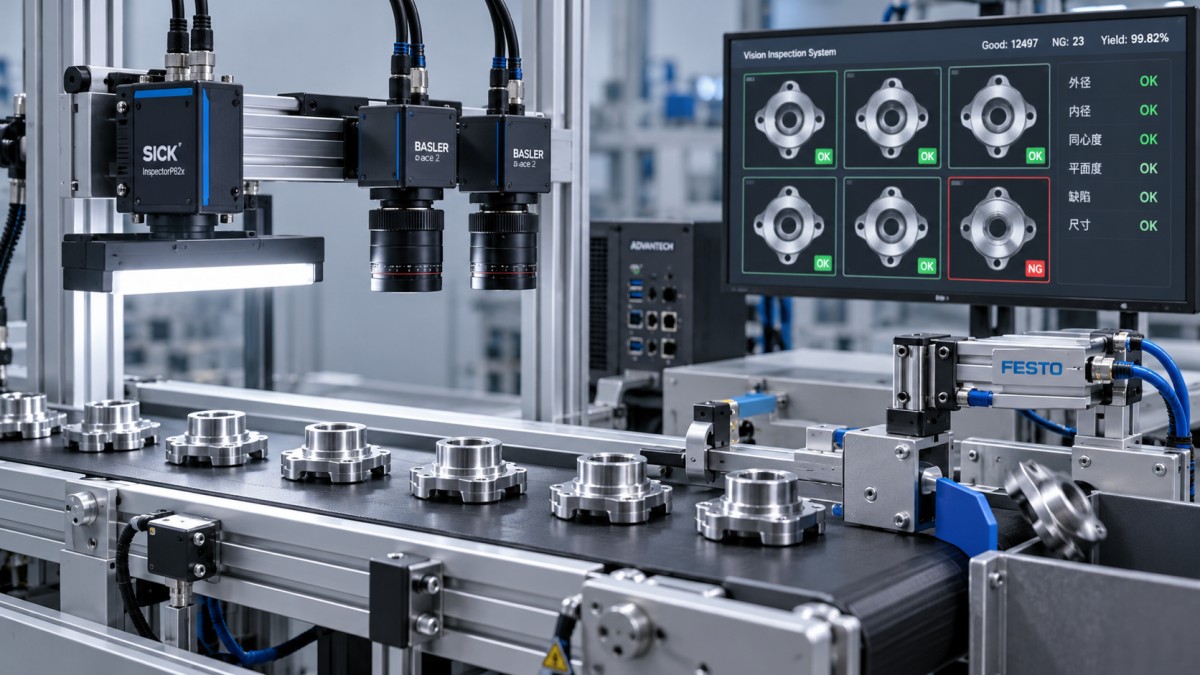
A useful timing diagram follows the entire chain: trigger, exposure, readout, transfer where applicable, processing, decision transmission, and reject actuation. Show overlapping stages as well as sequential ones. Simply adding every stage duration can misrepresent a pipelined system.
Where smart cameras make the cleaner engineering choice
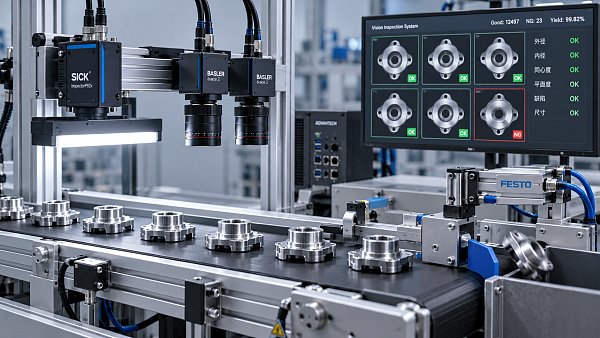
A smart camera combines image acquisition and onboard processing. For a presence check, dimensional check, code read, or stable feature inspection, this can remove the need to send every raw image to a separate computer. Local processing reduces dependence on host-side image transfer, although network congestion can still affect results, image logging, and configuration traffic.
The appeal is strongest when inspections are independent. On a packaging machine, for example, one station might check cap presence while another reads a printed code. If neither needs the other’s image, distributing the work across smart cameras can avoid a shared processing bottleneck.
Maintenance can also be simpler: fewer separate hardware components, a defined runtime environment, and an inspection recipe that plant technicians can restore. But simplicity depends on the actual software. A graphical configuration interface is not automatically easy to troubleshoot when a tool fails only on reflective parts or a particular product variant.
The limitation is usually headroom, not basic functionality
An onboard processor may comfortably run today’s job but struggle after an additional measurement, higher-resolution acquisition, or neural-network model is introduced. Some smart cameras offer capable AI acceleration; others have narrower processing resources. Treat these as model-specific differences, not properties of the whole category.
Check the inspection while image saving, communications, and other enabled services are active. Also verify enclosure temperature limits and any specified performance derating. A bench demonstration at room temperature does not establish sustained performance inside a hot machine enclosure.
There is another trade-off: distributing processing can distribute administration. Several independent cameras mean several recipes, backups, firmware versions, and result streams. For a small machine that may be manageable. Across a larger installation, configuration control deserves its own plan.
When PC-based vision earns its additional complexity
PC-based machine vision separates cameras from the main processing platform. It gives the integrator more freedom to choose processors, GPUs, memory, storage, frame grabbers, and software libraries. That flexibility matters when inspection requires large images, several views of the same part, custom algorithms, or substantial image retention.
Imagine checking a machined component from several directions and combining the observations into one disposition. Centralized processing can simplify cross-view logic and access to shared calibration data. It does not, by itself, synchronize exposures. Trigger distribution, timestamps, camera support, and part identification still require deliberate engineering.
A PC also makes it easier to change the processing hardware without necessarily replacing the cameras. That is useful where algorithm development is expected to continue. However, migration may still require driver, library, accelerator, and software-license changes; “upgradeable” does not mean interchangeable without validation.
The main trap is treating compute capacity as the entire system capacity. Multiple camera streams can compete for interface bandwidth, memory transfers, storage writes, and CPU scheduling. A powerful GPU cannot process images that arrive too late.
For scale, an illustrative uncompressed 5-megapixel, 8-bit monochrome stream at 100 frames per second contains approximately 500 megabytes per second of image payload before protocol overhead. Four such streams approach 2 gigabytes per second. These are arithmetic examples, not advertised camera capabilities. Actual sizing must account for pixel format, packing, interface topology, and sustained transfer performance.
Standard desktop operating systems also should not be assumed to provide hard real-time timing. Hardware triggering and dedicated control paths can reduce uncertainty, but acquisition synchronization does not guarantee deterministic result delivery. Measure the complete implementation under competing workloads.
Neither architecture fixes a weak image
Before comparing processors, establish whether the optical arrangement can reveal the defect at production speed. Motion blur, insufficient contrast, depth-of-field limitations, and reflections can make an otherwise fast inspection unreliable.
For linear motion, object displacement during exposure is conveyor speed multiplied by exposure time. Compare that displacement with object-space pixel size and the smallest feature being inspected. Shorter exposure may require stronger or strobed illumination, with appropriate attention to light pulse limits and trigger timing.
Shutter behavior matters too. A global shutter can avoid the motion distortion associated with rolling readout, but it does not eliminate blur during exposure. Nor does a larger sensor automatically improve detection if the lens, field of view, and illumination fail to support the required detail.
For continuous materials such as web products, line-scan acquisition may be the better starting point. In that case, evaluate line rate, encoder synchronization, and processing-window size before forcing the application into an area-camera comparison.
Build a benchmark that can expose failure
A supplier demonstration should use representative production images and the intended acquisition hardware. Easy samples establish feasibility; borderline samples establish whether the inspection is useful. Include acceptable variation as well as defects, otherwise aggressive thresholds can appear accurate while rejecting too many good parts.
For a meaningful comparison, require both architectures to meet the same acceptance conditions:
- Detection performance: false accepts and false rejects against an agreed, labeled sample set, with thresholds and product variants documented.
- Sustained operation: full acquisition rate with required logging, communications, and concurrent inspections enabled.
- Timing behavior: latency distribution, maximum observed latency, deadline misses, and test duration—not just an average.
- Data integrity: dropped frames, missed triggers, queue growth, and correct association between each part and its result.
- Fault response: behavior after communication loss, camera disconnection, storage exhaustion, or restart.
Run long enough to exercise thermal stabilization and operational events such as recipe changes and log rotation. A maximum observed latency remains a test observation, not a guaranteed worst-case bound. Record the conditions so another engineer can reproduce the result.
Be particularly careful with AI-based inspection. Faster inference is irrelevant if resizing hides small defects or a changed model increases false accepts. Compare end-to-end accuracy and latency using the deployed preprocessing and model, not an isolated accelerator benchmark.
Price the recovery path, not just the hardware
Smart cameras may reduce cabinet equipment and integration work, but costs can rise with camera count, software options, and replacement requirements. PC-based systems add host hardware, interfaces, operating-system maintenance, and potentially more integration effort. Shared compute may help economically, although it can also become a common point of failure.
Ask what happens when a unit fails during production. Can maintenance restore a replacement from a verified backup? Are calibration files, licenses, firmware, and model versions included? Must the replacement undergo a defined acceptance check before releasing parts? These questions often reveal more lifecycle risk than purchase price does.
For a stable, independent inspection, shortlist smart cameras first and require evidence of timing margin. For coordinated multi-camera work, demanding algorithms, or an evolving software roadmap, shortlist PC-based vision and validate the acquisition infrastructure early. Hybrid arrangements are also reasonable where local decisions and centralized analysis serve different purposes.
Before requesting final quotations, issue a common test specification: image quality, detection criteria, peak trigger pattern, decision deadline, logging policy, and recovery procedure. Choose the architecture that meets those conditions with documented headroom and a supportable maintenance path—not the one with the most impressive frame-rate headline.
Search News
Hot Articles
- Carbon Fiber StructuresHow to Specify Aerospace Carbon Fiber Assemblies for Lightweight, Load-Bearing PartsJul 11, 2026
- Machine VisionXiaomi, Alibaba DAMO Academy Drive Open-Source Robotics Model Ecosystem, Lowering Algorithm Development Barriers for Overseas SMEs Adopting Chinese Robotics SolutionsMar 30, 2026
- Cobots & ArmsShanxi 'AI+' Conference Showcases Embodied Intelligence with Multinational Buyer Engagement: Key Industry ImplicationsMar 30, 2026
Popular Tags
Recommended News
 Jul 11, 2026How to Specify Aerospace Carbon Fiber Assemblies for Lightweight, Load-Bearing PartsAerospace carbon fiber assemblies: learn how to specify laminate design, load data, joining methods, and inspection controls for lighter, reliable load-bearing aerospace parts.Elena Rostova (UAV Systems Researcher)
 Mar 30, 2026Xiaomi, Alibaba DAMO Academy Drive Open-Source Robotics Model Ecosystem, Lowering Algorithm Development Barriers for Overseas SMEs Adopting Chinese Robotics SolutionsXiaomi & Alibaba DAMO Academy's open-source robotics models lower algorithm barriers for global SMEs. Boost efficiency in manufacturing, logistics & smart retail with ROS 2 compatible solutions.TSV Data Lab
 Mar 30, 2026Shanxi 'AI+' Conference Showcases Embodied Intelligence with Multinational Buyer Engagement: Key Industry ImplicationsShanxi 'AI+' Conference highlights embodied intelligence with Tesla, Ubtech & Jiantao showcasing multimodal robotics. 40+ global buyers validated tech on-site, creating new B2B channels for industrial automation & AI solutions.Chen Wei (Automation Lead Engineer)
 Mar 30, 2026Zhongguancun Unveils 6G Integrated Sensing-Computing-Intelligence Platform to Empower Embodied Robots for Global Industrial ApplicationsZhongguancun's new 6G platform revolutionizes industrial robotics with <10ms latency, empowering global automotive, logistics & port automation. Discover how this tech boosts China's smart manufacturing exports.TSV Data Lab
 Mar 30, 2026Mech-Mind Tianjin Embodied Intelligence R&D and Production Base Goes Live, Cutting Delivery Time by 20%–30% for Global Customized AMR+Vision SolutionsMech-Mind's Tianjin AMR+Vision production base cuts delivery time by 20%-30% for欧美 & Latin American markets. Discover how this PLd-certified facility accelerates customized robotics solutions for smart manufacturing and logistics.Chen Wei (Automation Lead Engineer)
 Mar 30, 2026Boao Forum Reveals 'Co-evolution of Big and Small Brains' Trend in Humanoid Robots, China's Embodied Intelligence Accelerates Adaptation to Overseas Manufacturing Service ScenariosDiscover how China's humanoid robots, featuring 'Co-evolution of Big and Small Brains,' are revolutionizing global manufacturing. Learn about Embodied Tian Gong 3.0's ISO compliance and overseas deployment at Boao Forum 2026.Chen Wei (Automation Lead Engineer)
 Mar 30, 2026China Railway Industrial Secures Patent for Embodied Robotics in Material Handling, Boosting High-Precision Delivery Capabilities for Overseas Infrastructure and Manufacturing ProjectsChina Railway Industrial's new patent for embodied robotics in material handling boosts high-precision delivery for global infrastructure & manufacturing. Discover how this innovation enhances logistics accuracy in automotive, rail transit & EPC projects.Chen Wei (Automation Lead Engineer)
 Oct 13, 2026Smart Cameras vs. PC-Based Machine Vision: Which Fits High-Speed Inspection?This industrial product comparison for machine vision weighs smart cameras vs. PC-based systems on latency, throughput, and cost. Discover your best fit for high-speed inspection.TSV Data Lab
 Oct 12, 2026How to Verify RoHS Compliance in Industrial Sensing Systems Before DeploymentRoHS compliant sensing systems: learn how to verify materials, supplier declarations, testing, and configuration controls before industrial deployment.TSV Data Lab
 Oct 11, 2026How Procurement-Oriented Content Taxonomy Improves B2B Buying JourneysProcurement-oriented content taxonomy streamlines B2B buying journeys with clearer evidence, supplier comparisons, risk visibility, and faster approvals.TSV Data Lab
 Oct 10, 2026How to Select a Machine Performance Monitoring Platform for OEE and Downtime ReductionMachine performance monitoring platform selection guide: validate machine states, OEE data, downtime reasons, integrations, and scalability to reduce losses with confidence.TSV Data Lab
 Oct 08, 2026How to Machine Inconel 625 Blades Without Heat Cracks or Edge ChippingInconel 625 blade machining guide: prevent heat cracks, edge chipping, chatter, and work hardening with proven tooling, cooling, fixturing, and inspection strategies.Dr. Marcus Vance
 Oct 07, 2026How to Evaluate an HMI Panel Distributor for Industrial Automation ProjectsHMI panel distributor evaluation guide: verify technical compatibility, traceability, supply reliability, lifecycle support, and total cost for automation projects.Victor Lin (Chief Software Architect)
 Oct 06, 2026Navigation Fault Tolerance Standards for AMRs: What Safety Teams Must VerifyNavigation fault tolerance standards: learn what AMR safety teams must verify, from localization loss and sensor faults to stopping distance, safe restart, and site-specific validation.Chen Wei (Automation Lead Engineer)
 Oct 05, 2026Calculating Edge Computing Total Cost of Ownership Across Distributed SitesEdge computing ownership cost explained: calculate deployment, energy, connectivity, security, remote support, and refresh costs across distributed sites.TSV Data Lab
 Oct 04, 2026CAD/CAM Benchmarking in the GCC: What Manufacturers Should Ask a ConsultantCAD CAM benchmark consultant GCC guide: learn the key questions manufacturers should ask to validate post-processors, workflows, machine performance, and production risk.Victor Lin (Chief Software Architect)
 Oct 03, 2026Selecting Automotive Radar Sensor Modules for ADAS Range, Resolution, and IntegrationAutomotive radar sensor module selection guide for ADAS: compare range, resolution, field of view, latency, and integration to build safer, reliable vehicle systems.TSV Data Lab
 Oct 02, 2026How to Qualify Machined Parts Suppliers for Hard Tech ProgramsHard tech supply chain machined parts demand rigorous supplier qualification. Learn how to assess capability, traceability, quality controls, and delivery resilience.Dr. Marcus Vance
 Oct 01, 2026How to Select an Outdoor Security Radar Sensor for Perimeter Detection?Outdoor security radar sensor selection guide: compare range, accuracy, false-alarm control, integration, and field testing for reliable perimeter detection.TSV Data Lab
 Sep 30, 2026How to Evaluate Solid-State LiDAR Hardware for Outdoor Autonomous VehiclesSolid state LiDAR hardware evaluation guide for outdoor autonomous vehicles—compare range, point-cloud quality, environmental resilience, integration, and safety.TSV Data Lab
 Sep 29, 2026ISO 9283 Repeatability: How to Evaluate Cobot Positioning PerformanceISO 9283 cobot repeatability explained: learn how payload, reach, approach direction, and test conditions affect positioning performance and cell capability.Chen Wei (Automation Lead Engineer)
 Oct 13, 2026How to keep an industrial robotic integration project on scheduleIndustrial robotic integration project management: keep automation on schedule with proven controls for interfaces, suppliers, FAT, commissioning, and change risk.Victor Lin (Chief Software Architect)
 Oct 12, 2026What should be included in predictive maintenance pricing for factories?Predictive maintenance pricing for factories: compare sensors, software, integration, support, and total cost to secure measurable uptime gains and avoid hidden expenses.TSV Data Lab
 Oct 11, 2026How payload and reach change the cost of an industrial robotCost of industrial robot systems depends heavily on payload and reach. Learn how sizing, torque, tooling, safety, and lifecycle factors shape smarter automation investments.Chen Wei (Automation Lead Engineer)