Fanless PC thermal dissipation test in sealed cabinets
Publication Date
author
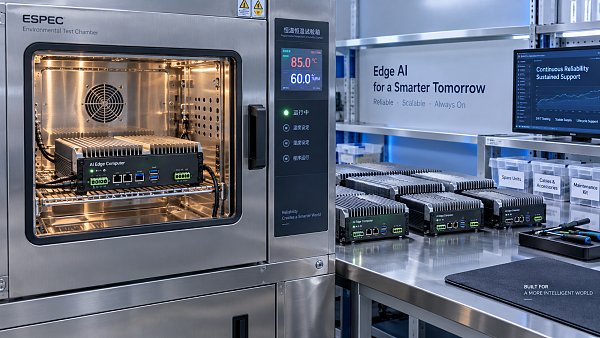
In sealed enclosures, heat buildup can silently undermine stability, lifespan, and uptime—making fanless pc thermal dissipation test a critical benchmark for real-world deployment. This article examines how thermal behavior in sealed cabinets affects reliability, industrial pc mtbf calculation, and edge performance, giving engineers, buyers, and decision-makers a data-driven foundation for selecting robust fanless industrial computing solutions.
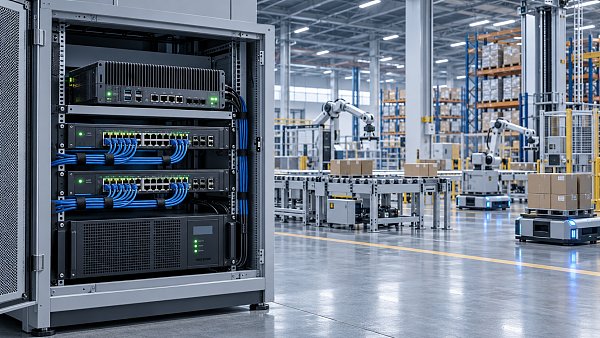
For industrial automation cells, edge AI boxes, machine vision stations, transport control panels, and outdoor control cabinets, the thermal story is rarely defined by the fanless computer alone. It is defined by the full enclosure system: cabinet volume, heat source density, airflow restriction, mounting orientation, ambient temperature, cable congestion, and duty cycle. A fanless PC that runs safely at 45°C in open air may behave very differently in a sealed cabinet under a 24/7 workload.
This matters across the full buying chain. Operators care about system stability and reduced downtime. Procurement teams need comparable thermal test criteria instead of vague “industrial-grade” claims. CTOs and plant managers want to know how enclosure temperature affects service life, computational consistency, and total cost of ownership over 3 to 5 years. A disciplined thermal dissipation test turns those questions into measurable engineering evidence.
Why thermal dissipation testing in sealed cabinets cannot be treated as a lab formality
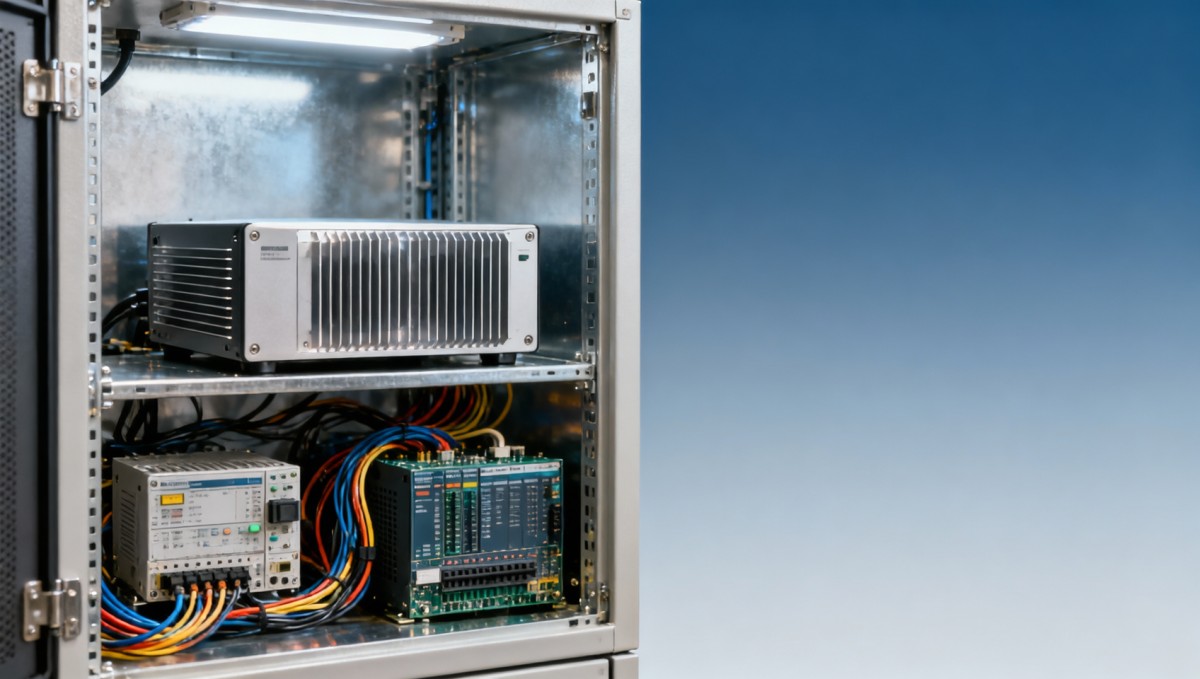
A fanless PC is designed to remove heat through conduction and surface radiation rather than forced air. In open mounting conditions, this architecture reduces dust ingress, eliminates fan wear, and improves maintenance intervals. In a sealed cabinet, however, heat is retained inside a limited thermal mass. Once internal air temperature rises by 10°C to 15°C above ambient, the effective cooling headroom of the chassis drops sharply.
That is why a fanless pc thermal dissipation test must simulate the cabinet, not just the computer. Testing only the bare unit on a bench misses the effect of nearby power supplies, PoE switches, motor drives, PLCs, and cable bundles. In many field installations, the fanless computer is only one of 4 to 8 heat-emitting devices inside a cabinet, and its thermal condition depends on the total watt load rather than processor TDP alone.
For information researchers and decision-makers, the practical question is simple: under what ambient and internal cabinet temperatures does the system still operate without thermal throttling, communication faults, storage instability, or unplanned restart? A useful test therefore tracks at least CPU temperature, SSD temperature, enclosure internal temperature, and sustained workload behavior over a defined period such as 2, 4, or 8 hours.
Key failure modes hidden by incomplete testing
When testing is incomplete, the first symptom is often not immediate shutdown. Instead, it appears as reduced edge inference speed, frame drops in vision processing, unstable I/O timing, or accelerated SSD wear. These are dangerous because the system may appear “working” while already operating outside its ideal thermal envelope.
- CPU or GPU thermal throttling after 20 to 40 minutes of sustained load.
- NVMe or SATA SSD temperature climbing above 70°C, affecting write stability.
- Power module stress from prolonged enclosure temperatures above 55°C.
- Internal hotspot formation near the top of vertically mounted cabinets.
- Sensor drift or network instability in mixed-control environments.
Why sealed cabinet conditions amplify risk
A sealed cabinet removes dust and moisture exposure, but it also removes passive heat exchange pathways. If the enclosure has an IP54 to IP67 protection goal, airflow is inherently limited. In outdoor or factory deployments with ambient temperatures of 35°C to 50°C, the cabinet can become a secondary heat storage chamber. In such scenarios, the thermal margin may be consumed by noon, even if overnight operation seems normal.
How to design a meaningful fanless PC thermal dissipation test
A credible thermal test should mirror deployment conditions as closely as possible. That includes cabinet material, size, internal device arrangement, cable density, mounting plate geometry, heat load from neighboring equipment, and orientation. Testing a 1.2 mm steel enclosure of 400 mm × 500 mm × 200 mm can produce very different results from a larger aluminum cabinet with the same computing hardware.
The workload profile also matters. A fanless PC used for HMI and light data logging may average 15% to 25% CPU utilization. By contrast, an edge AI gateway performing video inference or machine vision preprocessing can sustain 60% to 90% processor load for hours. The thermal dissipation test should therefore include idle, medium-load, and high-load phases, ideally with dwell times of at least 30 minutes per phase.
For cross-functional teams, standardized test inputs improve comparability. Instead of asking vendors whether a system is “heat resistant,” procurement can ask for the cabinet ambient, internal hottest-point temperature, workload duration, throttling threshold, and recovery time after peak load. These are measurable and far more useful during supplier qualification.
Recommended test variables and acceptance criteria
The following matrix helps align engineering, operations, and sourcing teams around a practical test framework for sealed-cabinet deployment.
The key lesson is that a pass/fail result alone is not enough. A complete report should show temperature rise curves, stabilization time, and whether performance degraded before any shutdown occurred. In hard-tech environments, the usable limit is often lower than the survival limit.
A practical 5-step test workflow
- Define actual cabinet geometry, device layout, and total thermal load in watts.
- Measure baseline temperatures at idle for 30 minutes.
- Run staged workloads for 2 to 4 hours with sensor logging every 1 to 5 minutes.
- Record hot-spot differentials across top, center, and chassis-contact areas.
- Assess throughput, throttling behavior, and recovery after peak-load removal.
Thermal results, reliability, and industrial PC MTBF calculation
Thermal performance is not just about immediate operation. It directly affects reliability modeling and industrial pc mtbf calculation. While MTBF is influenced by multiple variables such as component quality, voltage stress, vibration, and humidity, temperature remains one of the most important acceleration factors. In practical engineering, even a 10°C rise in component operating temperature can materially shorten expected life for power regulation, storage, and interface components.
This is where purchasing teams often make a costly mistake. They compare two fanless systems by processor class or port count, but ignore thermal margin under sealed conditions. A lower-cost unit may meet the functional spec on paper, yet if it spends most of its service life at elevated internal temperatures, the true cost appears later through higher failure risk, service dispatches, and production interruption.
For operators and plant managers, MTBF should be interpreted as a conditional metric. A system rated for long operating life in a 25°C environment may not deliver the same field behavior in a cabinet that regularly sits at 50°C internal air temperature. Reliability must therefore be discussed together with thermal test conditions, not in isolation.
How thermal headroom influences lifecycle economics
The table below shows how thermal conditions change the practical procurement view, even when two systems appear similar on a feature sheet.
For many industrial buyers, the better question is not “What is the MTBF number?” but “Under what cabinet thermal conditions was reliability evaluated?” That single shift improves supplier conversations and prevents under-specified deployments.
Practical indicators to request from suppliers
- Temperature rise above ambient at idle and full load.
- Time to thermal equilibrium inside the sealed cabinet.
- Maximum sustained workload before throttling begins.
- Storage temperature logs during write-intensive tasks.
- Recommended enclosure volume and clearance distances, such as 30 mm to 80 mm around the chassis.
Selection criteria for engineers, procurement teams, and enterprise buyers
Choosing a fanless industrial PC for sealed cabinet use should begin with thermal architecture, not marketing labels. Chassis material, fin design, heat spread path, processor power profile, storage location, and mounting orientation all influence results. A low-power CPU in the 10 W to 25 W band may be sufficient for gateway control, while edge vision or AI tasks may require 25 W to 45 W class processors and stronger heat conduction design.
Cabinet-level planning is equally important. Even a well-designed fanless unit can underperform if installed next to a power supply or inverter that continuously emits heat. In many control cabinets, vertical spacing and device zoning reduce localized hot spots more effectively than simply choosing a more expensive computer.
For procurement, the most useful selection framework blends technical fit and operational fit. Technical fit answers whether the unit can survive the workload and environment. Operational fit answers whether it can be maintained, sourced, and supported across the expected lifecycle.
A 6-point procurement checklist
- Verify the operating temperature range under sealed-cabinet assumptions, not only open-air rating.
- Check processor and storage thermal behavior during 2-hour or longer sustained load.
- Confirm enclosure clearance, mounting method, and orientation restrictions.
- Assess total cabinet heat load, including adjacent devices contributing 30 W, 80 W, or more.
- Request data on throttling thresholds, not only maximum operating temperature.
- Review serviceability, replacement planning, and lifecycle support over at least 3 years.
Common specification traps
One common trap is assuming that “fanless” automatically means “heat-proof.” It does not. Fanless design reduces moving-part failure and contamination risk, but the heat still has to go somewhere. Another trap is accepting a broad operating range, such as -20°C to 60°C, without asking whether the figure applies to the full configuration, all storage options, and continuous full-load conditions.
A third trap is overlooking workload evolution. A system deployed today at 30% average usage may be asked to run additional analytics or AI workloads within 12 to 18 months. If thermal headroom is too narrow, that future software upgrade becomes a hardware reliability problem.
Implementation guidance, field optimization, and FAQs
The best thermal dissipation strategy usually combines hardware selection, cabinet design, and workload planning. In many projects, system stability improves not because the PC changes, but because the cabinet layout is corrected. Separating high-heat devices, increasing conductive contact quality, reducing cable blockage, and relocating the computer away from the top thermal zone can lower effective device temperature by several degrees.
For field deployment, start with a pilot verification process. Test 1 to 3 representative cabinets under realistic summer conditions, peak shift workload, and closed-door operation. Record internal temperature and device telemetry for at least 7 consecutive days if the application is mission-critical. This reveals cyclical heat accumulation that short bench tests may miss.
Where thermal limits are tight, mitigation options include using a lower-TDP computing platform, introducing heat exchangers, redesigning cabinet zoning, or reducing concurrent peak processing loads. The right answer depends on whether the deployment priority is maximum compute density, longest lifecycle, or lowest maintenance complexity.
FAQ: How do I know whether a sealed cabinet is too hot for a fanless PC?
If the internal cabinet air repeatedly exceeds 50°C, or if device telemetry shows sustained throttling under normal workloads, the system is already near or beyond its practical thermal comfort zone. The answer is not always immediate replacement; it may require re-layout, added thermal path optimization, or revised workload scheduling.
FAQ: What metrics matter most during supplier comparison?
Focus on temperature rise above ambient, hot-spot location, sustained workload stability, storage temperature, and recovery behavior after peak load. These metrics are far more useful than generic statements such as “rugged” or “high reliability.”
FAQ: Is a larger cabinet always better?
Not always. A larger enclosure can improve thermal buffering, but poor internal arrangement can still create stagnant hot zones. Volume helps, yet layout and total heat source interaction remain decisive. In some cases, a well-zoned compact cabinet performs better than a larger but crowded enclosure.
FAQ: When should buyers request a custom test?
A custom fanless pc thermal dissipation test is advisable when the application includes 24/7 AI workloads, outdoor deployment, dense multi-device cabinets, or internal ambient expectations above 45°C. It is also recommended for projects where downtime cost is high and replacement access is difficult.
A fanless PC installed in a sealed cabinet should be judged by measured thermal behavior, not broad product slogans. For engineers, that means validating heat rise, throttling thresholds, and cabinet interaction. For procurement teams, it means comparing suppliers using test conditions that reflect the real deployment. For enterprise decision-makers, it means linking thermal margin to uptime, lifecycle stability, and industrial pc mtbf calculation in a practical way.
TechStat Vanguard approaches this topic with one principle: parameters matter more than claims. If you are evaluating fanless industrial computing platforms for edge control, automation, vision, or rugged cabinet deployment, now is the time to review your thermal assumptions, request structured test data, and align your system design with real operating conditions. Contact us to discuss your application, obtain a tailored evaluation framework, or explore more data-driven industrial computing solutions.
Search News
Hot Articles
- Carbon Fiber StructuresHow to Specify Aerospace Carbon Fiber Assemblies for Lightweight, Load-Bearing PartsJul 11, 2026
- Machine VisionXiaomi, Alibaba DAMO Academy Drive Open-Source Robotics Model Ecosystem, Lowering Algorithm Development Barriers for Overseas SMEs Adopting Chinese Robotics SolutionsMar 30, 2026
- Cobots & ArmsShanxi 'AI+' Conference Showcases Embodied Intelligence with Multinational Buyer Engagement: Key Industry ImplicationsMar 30, 2026
Popular Tags
Recommended News
 Jul 11, 2026How to Specify Aerospace Carbon Fiber Assemblies for Lightweight, Load-Bearing PartsAerospace carbon fiber assemblies: learn how to specify laminate design, load data, joining methods, and inspection controls for lighter, reliable load-bearing aerospace parts.Elena Rostova (UAV Systems Researcher)
 Mar 30, 2026Xiaomi, Alibaba DAMO Academy Drive Open-Source Robotics Model Ecosystem, Lowering Algorithm Development Barriers for Overseas SMEs Adopting Chinese Robotics SolutionsXiaomi & Alibaba DAMO Academy's open-source robotics models lower algorithm barriers for global SMEs. Boost efficiency in manufacturing, logistics & smart retail with ROS 2 compatible solutions.TSV Data Lab
 Mar 30, 2026Shanxi 'AI+' Conference Showcases Embodied Intelligence with Multinational Buyer Engagement: Key Industry ImplicationsShanxi 'AI+' Conference highlights embodied intelligence with Tesla, Ubtech & Jiantao showcasing multimodal robotics. 40+ global buyers validated tech on-site, creating new B2B channels for industrial automation & AI solutions.Chen Wei (Automation Lead Engineer)
 Mar 30, 2026Zhongguancun Unveils 6G Integrated Sensing-Computing-Intelligence Platform to Empower Embodied Robots for Global Industrial ApplicationsZhongguancun's new 6G platform revolutionizes industrial robotics with <10ms latency, empowering global automotive, logistics & port automation. Discover how this tech boosts China's smart manufacturing exports.TSV Data Lab
 Mar 30, 2026Mech-Mind Tianjin Embodied Intelligence R&D and Production Base Goes Live, Cutting Delivery Time by 20%–30% for Global Customized AMR+Vision SolutionsMech-Mind's Tianjin AMR+Vision production base cuts delivery time by 20%-30% for欧美 & Latin American markets. Discover how this PLd-certified facility accelerates customized robotics solutions for smart manufacturing and logistics.Chen Wei (Automation Lead Engineer)
 Mar 30, 2026Boao Forum Reveals 'Co-evolution of Big and Small Brains' Trend in Humanoid Robots, China's Embodied Intelligence Accelerates Adaptation to Overseas Manufacturing Service ScenariosDiscover how China's humanoid robots, featuring 'Co-evolution of Big and Small Brains,' are revolutionizing global manufacturing. Learn about Embodied Tian Gong 3.0's ISO compliance and overseas deployment at Boao Forum 2026.Chen Wei (Automation Lead Engineer)
 Mar 30, 2026China Railway Industrial Secures Patent for Embodied Robotics in Material Handling, Boosting High-Precision Delivery Capabilities for Overseas Infrastructure and Manufacturing ProjectsChina Railway Industrial's new patent for embodied robotics in material handling boosts high-precision delivery for global infrastructure & manufacturing. Discover how this innovation enhances logistics accuracy in automotive, rail transit & EPC projects.Chen Wei (Automation Lead Engineer)
 Oct 16, 2026Choosing a Rugged Edge AI Box Supplier: Thermal Tests and Lifecycle SupportChoose a rugged edge AI box supplier with proven thermal performance and reliable lifecycle support. Discover the tests and commitments to verify before you buy.TSV Data Lab
 Oct 15, 2026R&D Cost Reduction Services: How to Evaluate Fees, Savings, and ROIEvaluate R&D cost reduction services with confidence. Compare fees, verify savings, and calculate ROI without compromising performance. Discover how to choose a provider that delivers real value.Chen Wei (Automation Lead Engineer)
 Oct 15, 2026How Should You Compare TechStat Vanguard 5-Axis CNC Tolerances?TechStat Vanguard 5-axis CNC tolerance comparison: learn how to verify part accuracy, assess inspection evidence, and choose suppliers that reliably meet your drawing requirements.Dr. Marcus Vance
 Oct 14, 2026Drone Frame Composites: Carbon Fiber vs. Fiberglass for Weight and StiffnessExplore drone structural materials composites: compare carbon fiber and fiberglass for weight, stiffness, cost, and antenna compatibility. Find the right material for your drone frame.Elena Rostova (UAV Systems Researcher)
 Oct 13, 2026Smart Cameras vs. PC-Based Machine Vision: Which Fits High-Speed Inspection?This industrial product comparison for machine vision weighs smart cameras vs. PC-based systems on latency, throughput, and cost. Discover your best fit for high-speed inspection.TSV Data Lab
 Oct 12, 2026How to Verify RoHS Compliance in Industrial Sensing Systems Before DeploymentRoHS compliant sensing systems: learn how to verify materials, supplier declarations, testing, and configuration controls before industrial deployment.TSV Data Lab
 Oct 11, 2026How Procurement-Oriented Content Taxonomy Improves B2B Buying JourneysProcurement-oriented content taxonomy streamlines B2B buying journeys with clearer evidence, supplier comparisons, risk visibility, and faster approvals.TSV Data Lab
 Oct 10, 2026How to Select a Machine Performance Monitoring Platform for OEE and Downtime ReductionMachine performance monitoring platform selection guide: validate machine states, OEE data, downtime reasons, integrations, and scalability to reduce losses with confidence.TSV Data Lab
 Oct 08, 2026How to Machine Inconel 625 Blades Without Heat Cracks or Edge ChippingInconel 625 blade machining guide: prevent heat cracks, edge chipping, chatter, and work hardening with proven tooling, cooling, fixturing, and inspection strategies.Dr. Marcus Vance
 Oct 07, 2026How to Evaluate an HMI Panel Distributor for Industrial Automation ProjectsHMI panel distributor evaluation guide: verify technical compatibility, traceability, supply reliability, lifecycle support, and total cost for automation projects.Victor Lin (Chief Software Architect)
 Oct 06, 2026Navigation Fault Tolerance Standards for AMRs: What Safety Teams Must VerifyNavigation fault tolerance standards: learn what AMR safety teams must verify, from localization loss and sensor faults to stopping distance, safe restart, and site-specific validation.Chen Wei (Automation Lead Engineer)
 Oct 05, 2026Calculating Edge Computing Total Cost of Ownership Across Distributed SitesEdge computing ownership cost explained: calculate deployment, energy, connectivity, security, remote support, and refresh costs across distributed sites.TSV Data Lab
 Oct 04, 2026CAD/CAM Benchmarking in the GCC: What Manufacturers Should Ask a ConsultantCAD CAM benchmark consultant GCC guide: learn the key questions manufacturers should ask to validate post-processors, workflows, machine performance, and production risk.Victor Lin (Chief Software Architect)
 Oct 03, 2026Selecting Automotive Radar Sensor Modules for ADAS Range, Resolution, and IntegrationAutomotive radar sensor module selection guide for ADAS: compare range, resolution, field of view, latency, and integration to build safer, reliable vehicle systems.TSV Data Lab
 Oct 02, 2026How to Qualify Machined Parts Suppliers for Hard Tech ProgramsHard tech supply chain machined parts demand rigorous supplier qualification. Learn how to assess capability, traceability, quality controls, and delivery resilience.Dr. Marcus Vance
 Oct 01, 2026How to Select an Outdoor Security Radar Sensor for Perimeter Detection?Outdoor security radar sensor selection guide: compare range, accuracy, false-alarm control, integration, and field testing for reliable perimeter detection.TSV Data Lab
 Sep 30, 2026How to Evaluate Solid-State LiDAR Hardware for Outdoor Autonomous VehiclesSolid state LiDAR hardware evaluation guide for outdoor autonomous vehicles—compare range, point-cloud quality, environmental resilience, integration, and safety.TSV Data Lab