DIN rail PC manufacturer checklist for buyers
Publication Date
author
Choosing the right DIN rail PC manufacturer requires more than a price comparison. Buyers evaluating a fanless industrial computer factory or embedded linux industrial pc wholesale partner need clear proof of reliability, compliance, lifecycle support, and edge performance. This checklist helps procurement teams, engineers, and decision-makers cut through marketing claims and assess suppliers with practical criteria that reduce sourcing risk and improve long-term deployment value.
In industrial automation, transportation control, smart energy, machine vision, and edge AI deployments, a DIN rail PC is often a long-life infrastructure asset rather than a simple box computer. A poor supplier choice can trigger 12- to 36-month lifecycle gaps, unstable operating temperatures, difficult field maintenance, or unexpected redesign costs. That is why serious buyers need a structured qualification method.
For TSV-minded procurement and engineering teams, the core question is straightforward: can the manufacturer prove technical fitness with specifications, test scope, delivery discipline, and support commitments that hold up under real industrial conditions? The checklist below focuses on measurable buying factors, not branding language.
Define the Real Application Before Comparing Suppliers
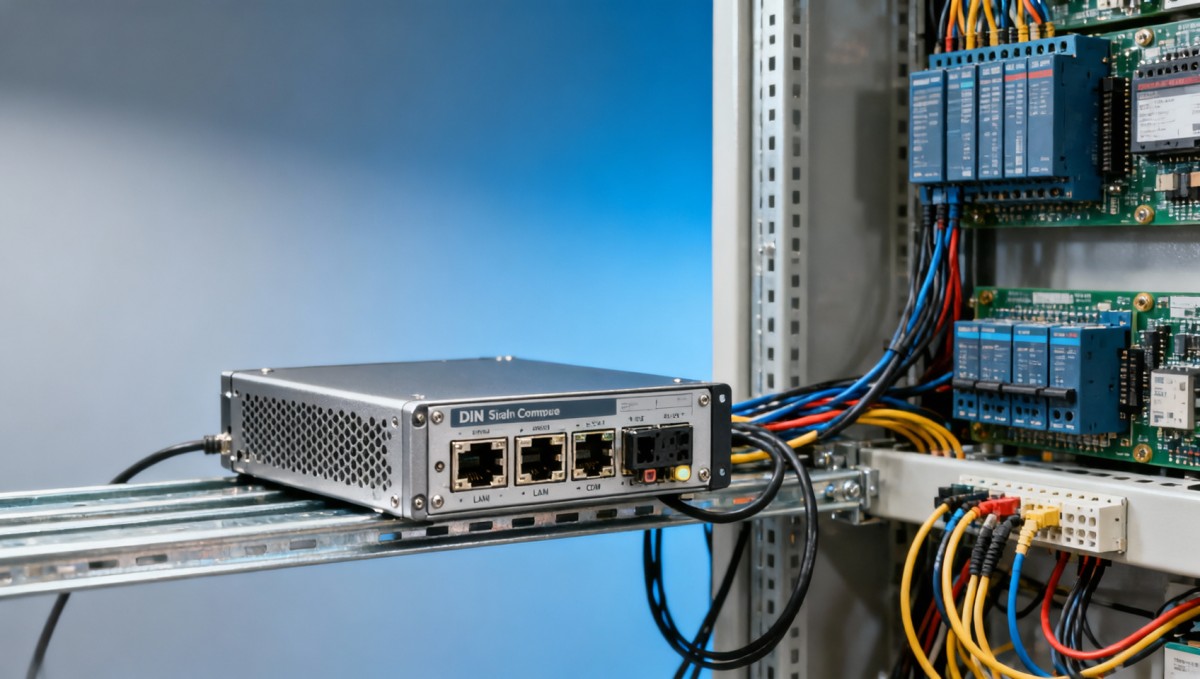
A DIN rail PC manufacturer should be evaluated against the intended deployment first, because the same hardware category can serve very different environments. A compact unit for a control cabinet in a clean factory differs from a rugged system installed in a substation, rolling stock cabinet, or outdoor automation enclosure. If buyers skip this step, they often compare quotes for products that are not functionally equivalent.
Start by documenting 6 core items: CPU workload, operating system, I/O count, installation environment, network architecture, and expected lifecycle. In practice, many buyers should define at least a 3- to 5-year support window, an ambient temperature range such as -20°C to 60°C, and whether the system must run 24/7 or only during production shifts.
A manufacturer that asks detailed pre-sales questions is usually a stronger candidate than one that only sends a generic catalog. Good suppliers typically want to know serial interfaces, GPIO needs, LAN port count, USB revision, storage type, power input range such as 9–36V DC or 12–24V DC, and whether the application involves vibration, dust, or EMC exposure.
Key environment questions buyers should answer
- Will the DIN rail PC run inside a sealed cabinet, a semi-ventilated enclosure, or an exposed industrial location?
- Does the workload require fanless thermal design for dust-sensitive sites, or can active cooling be accepted?
- Is the application PLC communication, gateway computing, HMI integration, edge AI inference, or machine data logging?
- Does the site need dual LAN, isolated COM, CAN bus, fieldbus expansion, or cellular failover?
- Is Linux preferred for embedded stability, or is Windows required for existing software compatibility?
The table below helps align application needs with supplier discussions. Buyers can use it during RFQ preparation to prevent under-specification or overspending on unnecessary features.
The main buying lesson is simple: define the operating context first, then screen DIN rail PC manufacturers on fit. This reduces the common mistake of selecting a low-cost unit that later fails EMC, temperature, or connectivity requirements during pilot deployment.
Check Hardware Reliability, Thermal Design, and Industrial Build Quality
When assessing a fanless industrial computer factory, buyers should request evidence of reliability beyond the sales sheet. Fanless design is valuable in dusty or maintenance-sensitive environments, but thermal claims must be supported by enclosure design, heat dissipation paths, CPU TDP matching, and real operating limits. A fanless chassis that only performs well at 25°C lab conditions may not survive a 55°C cabinet during summer peaks.
A serious manufacturer should explain how the housing material, fin structure, processor selection, and internal layout work together. For example, a low-power edge gateway may be stable with modest aluminum heat spreading, while an AI-enabled DIN rail PC with higher compute demand may require stricter derating. Buyers should ask whether the published temperature range applies to full CPU load, partial load, or specific SSD and memory configurations.
Mechanical durability also matters. DIN rail retention strength, connector placement, terminal block quality, and resistance to vibration all affect field failure rates. This is especially relevant in transport, machine control, and utility cabinets where micro-movement can loosen poorly designed connections over 6 to 18 months.
What to verify in thermal and mechanical review
Thermal proof points
- Published operating range tied to configuration, not just an empty chassis.
- Stress test duration such as 8, 24, or 48 hours under sustained load.
- Derating guidance when ambient temperature exceeds 50°C.
- Storage temperature and cold-start thresholds for winter installations.
Mechanical proof points
- DIN rail locking stability and vibration tolerance for cabinet or mobile use.
- Industrial connector robustness for frequent maintenance access.
- Internal component retention methods to reduce failure from shock.
- Accessible service design for SSD, memory, or expansion replacement.
A practical way to compare manufacturers is to score them against build-level evidence. The table below can be used by engineering and procurement teams during technical clarification meetings.
If a DIN rail PC manufacturer cannot explain test conditions, configuration limits, and failure prevention design, buyers should treat advertised ruggedness carefully. Industrial reliability is not a slogan; it is the result of controlled design choices and transparent validation.
Review Compliance, Software Compatibility, and Lifecycle Control
For procurement teams sourcing an embedded Linux industrial PC wholesale partner, compliance and lifecycle management are often as important as raw performance. A unit that technically works today but loses CPU, storage, or I/O continuity after 9 months can create redesign costs across software images, qualification files, and field maintenance procedures. Buyers should therefore evaluate both regulatory fitness and product continuity discipline.
At a minimum, ask which standards are relevant to the target market and installation environment. Depending on application, buyers may need CE, FCC, RoHS, or other region-specific compliance. If the DIN rail PC will be integrated into larger industrial control systems, EMC behavior becomes especially important because communication instability can surface only after the unit is installed beside drives, relays, or switching power devices.
Software support deserves the same attention. Manufacturers should confirm operating system compatibility, kernel or driver support, BIOS update policy, and image deployment options. For Linux-based projects, buyers should verify long-term package support, remote management readiness, and whether the vendor can provide stable BSP or driver documentation. For Windows environments, licensing method and update control need to be clarified before order placement.
Lifecycle questions that reduce sourcing risk
- What is the expected product availability window: 3 years, 5 years, or longer?
- How much advance notice is given before end-of-life, commonly 6 to 12 months?
- Can the manufacturer offer replacement mapping when CPU or storage components change?
- Are BIOS, firmware, and OS images version-controlled for repeat deployments?
- Is there technical support for driver issues, edge gateway stacks, or field integration problems?
The following table highlights what buyers should compare when shortlisting DIN rail PC suppliers for regulated or long-lifecycle projects.
Buyers in automation and edge computing should prioritize predictable lifecycle control over short-term unit savings. A 5% lower price can quickly become irrelevant if a platform forces unplanned software revalidation or hardware redesign within the first 12 to 18 months.
Assess Manufacturing Capability, Customization, and Delivery Discipline
Even when the hardware specification looks acceptable, supplier execution quality can decide whether the project scales smoothly. DIN rail PC buyers should examine how the manufacturer manages sampling, engineering change control, mass production, burn-in procedures, labeling, and shipment consistency. This is especially important for OEM, ODM, and recurring wholesale programs where 50 units in pilot can become 500 or 5,000 units across multiple sites.
Customization ability is often a differentiator. Some projects need BIOS tuning, TPM options, ignition control, wide-voltage input, extra COM ports, GPIO mapping, LTE modules, or company-specific image loading. However, customization adds process risk unless the manufacturer has formal revision control. Buyers should ask how custom configurations are documented, tested, and locked for repeated production lots.
Lead time discipline matters too. For standard industrial computer configurations, sample lead times may be around 7–21 days and batch production can take 3–8 weeks depending on component availability. A reliable supplier should explain what drives the timeline, which parts carry supply risk, and how forecast commitments improve continuity.
Supplier execution checklist
- Ask whether pilot samples and mass production follow the same BOM control rules.
- Confirm whether serial number traceability exists for each shipment batch.
- Review standard test flow such as power-on test, interface check, burn-in, and final inspection.
- Check packaging suitability for export, vibration, and moisture exposure during transit.
- Verify communication cadence for NPI, order confirmation, and engineering change notice.
Typical delivery questions buyers should raise
Before sample order
Clarify whether the sample is production-representative, whether custom BIOS or OS image support is available, and what documents will ship with it. A meaningful sample should reflect the actual thermal, I/O, and software conditions expected in deployment.
Before batch order
Confirm MOQ, batch inspection standard, packaging method, country-specific power accessory needs, and warranty handling process. For international buyers, also verify export documentation turnaround, which may add 3 to 7 days if not prepared in advance.
A capable DIN rail PC manufacturer should not only make hardware, but also control repeatability. For procurement leaders, repeatability in 4 dimensions—BOM, firmware, labeling, and test flow—is one of the strongest indicators of a dependable long-term partner.
Compare Support, Warranty, and Total Cost of Ownership
The lowest quoted unit price rarely represents the true cost of an industrial PC program. Buyers should compare total cost of ownership across at least 5 elements: integration effort, deployment reliability, downtime risk, lifecycle continuity, and support responsiveness. A slightly higher-cost DIN rail PC from a better manufacturer may reduce truck rolls, troubleshooting hours, and spare-part complexity over 3 to 5 years.
Warranty terms deserve careful reading. Ask what the warranty period covers, how failure analysis is handled, and whether advanced replacement is available for critical projects. In many industrial applications, a 24-month warranty is common, but buyers should go further and clarify turnaround time, root-cause reporting, and whether configuration images can be restored quickly after replacement.
Support structure should also match the operating reality. Operators and maintenance teams often need practical help with BIOS settings, Linux driver behavior, remote boot, watchdog setup, and communication issues between the DIN rail PC and PLC, sensors, or gateways. A manufacturer with responsive engineering support can shorten commissioning time by days or even weeks during deployment.
How to evaluate post-sales value
This comparison shows why procurement should balance acquisition cost with operational risk. For plants, substations, transport nodes, and distributed edge sites, one unplanned service visit can erase the savings gained from a cheaper initial quote.
Common buyer mistakes to avoid
- Choosing a DIN rail PC manufacturer based only on CPU generation and price.
- Failing to verify thermal ratings under realistic cabinet conditions.
- Ignoring software image control and long-term Linux or Windows support.
- Not clarifying spare strategy for deployments across 10, 50, or 100+ locations.
- Accepting vague warranty language without response-time expectations.
The best supplier relationship is not purely transactional. It combines hardware consistency, engineering transparency, and support readiness so that procurement teams, system integrators, and field operators can manage the installation with fewer surprises.
FAQ for Buyers Shortlisting a DIN Rail PC Manufacturer
How many suppliers should a buyer compare before making a decision?
For most industrial sourcing projects, comparing 3 to 5 qualified suppliers is practical. Fewer than 3 may not reveal meaningful differences in lifecycle policy, thermal design, and support quality. More than 5 can slow the process unless the project is highly regulated or involves large-volume global deployment.
What is the most important document to request during evaluation?
There is rarely only one document, but buyers should always request a product specification sheet, interface definition, compliance file set, and lifecycle statement. For embedded Linux industrial PC projects, software image details and driver support notes are often as important as the hardware datasheet.
When is a fanless industrial computer the right choice?
A fanless design is usually preferred in dust-prone cabinets, remote sites, and low-maintenance installations where 24/7 stability matters. It is especially suitable when the workload fits within the thermal envelope of the enclosure and ambient range. Buyers should still confirm performance under high load and temperatures above 50°C.
How long should lead time and support planning cover?
For routine projects, buyers should plan around sample lead times of 1 to 3 weeks and batch timelines of 3 to 8 weeks. For lifecycle and service, a planning horizon of at least 3 years is advisable, while many industrial users prefer 5 years or more for standardized platforms and spare strategy.
A disciplined DIN rail PC manufacturer checklist helps buyers move beyond marketing claims and focus on what actually affects deployment success: application fit, thermal reliability, compliance, lifecycle continuity, manufacturing control, and post-sales support. For engineers, operators, procurement teams, and enterprise decision-makers, these factors determine whether an industrial PC remains a stable edge asset or becomes a hidden maintenance burden.
If you are evaluating suppliers for automation, edge computing, transportation, energy, or machine integration projects, use this checklist to structure your RFQ, supplier interviews, and sample validation process. For deeper guidance on hardware benchmarking, sourcing risk review, or industrial computing selection logic, contact us to discuss your project, request a tailored evaluation framework, or explore more data-driven hard-tech sourcing insights.
Search News
Hot Articles
- Carbon Fiber StructuresHow to Specify Aerospace Carbon Fiber Assemblies for Lightweight, Load-Bearing PartsJul 11, 2026
- Machine VisionXiaomi, Alibaba DAMO Academy Drive Open-Source Robotics Model Ecosystem, Lowering Algorithm Development Barriers for Overseas SMEs Adopting Chinese Robotics SolutionsMar 30, 2026
- Cobots & ArmsShanxi 'AI+' Conference Showcases Embodied Intelligence with Multinational Buyer Engagement: Key Industry ImplicationsMar 30, 2026
Popular Tags
Recommended News
 Jul 11, 2026How to Specify Aerospace Carbon Fiber Assemblies for Lightweight, Load-Bearing PartsAerospace carbon fiber assemblies: learn how to specify laminate design, load data, joining methods, and inspection controls for lighter, reliable load-bearing aerospace parts.Elena Rostova (UAV Systems Researcher)
 Mar 30, 2026Xiaomi, Alibaba DAMO Academy Drive Open-Source Robotics Model Ecosystem, Lowering Algorithm Development Barriers for Overseas SMEs Adopting Chinese Robotics SolutionsXiaomi & Alibaba DAMO Academy's open-source robotics models lower algorithm barriers for global SMEs. Boost efficiency in manufacturing, logistics & smart retail with ROS 2 compatible solutions.TSV Data Lab
 Mar 30, 2026Shanxi 'AI+' Conference Showcases Embodied Intelligence with Multinational Buyer Engagement: Key Industry ImplicationsShanxi 'AI+' Conference highlights embodied intelligence with Tesla, Ubtech & Jiantao showcasing multimodal robotics. 40+ global buyers validated tech on-site, creating new B2B channels for industrial automation & AI solutions.Chen Wei (Automation Lead Engineer)
 Mar 30, 2026Zhongguancun Unveils 6G Integrated Sensing-Computing-Intelligence Platform to Empower Embodied Robots for Global Industrial ApplicationsZhongguancun's new 6G platform revolutionizes industrial robotics with <10ms latency, empowering global automotive, logistics & port automation. Discover how this tech boosts China's smart manufacturing exports.TSV Data Lab
 Mar 30, 2026Mech-Mind Tianjin Embodied Intelligence R&D and Production Base Goes Live, Cutting Delivery Time by 20%–30% for Global Customized AMR+Vision SolutionsMech-Mind's Tianjin AMR+Vision production base cuts delivery time by 20%-30% for欧美 & Latin American markets. Discover how this PLd-certified facility accelerates customized robotics solutions for smart manufacturing and logistics.Chen Wei (Automation Lead Engineer)
 Mar 30, 2026Boao Forum Reveals 'Co-evolution of Big and Small Brains' Trend in Humanoid Robots, China's Embodied Intelligence Accelerates Adaptation to Overseas Manufacturing Service ScenariosDiscover how China's humanoid robots, featuring 'Co-evolution of Big and Small Brains,' are revolutionizing global manufacturing. Learn about Embodied Tian Gong 3.0's ISO compliance and overseas deployment at Boao Forum 2026.Chen Wei (Automation Lead Engineer)
 Mar 30, 2026China Railway Industrial Secures Patent for Embodied Robotics in Material Handling, Boosting High-Precision Delivery Capabilities for Overseas Infrastructure and Manufacturing ProjectsChina Railway Industrial's new patent for embodied robotics in material handling boosts high-precision delivery for global infrastructure & manufacturing. Discover how this innovation enhances logistics accuracy in automotive, rail transit & EPC projects.Chen Wei (Automation Lead Engineer)
 Oct 18, 2026Comparing Material Options for Procurement: Specs, Costs, and Supply RisksExplore procurement oriented technical content on material options, specs, costs, and supply risks. Compare alternatives to cut hidden expenses and make confident sourcing decisions.Dr. Marcus Vance
 Oct 17, 20265-Axis CNC Positioning Accuracy: How to Interpret ISO 230-2 Test ResultsAssess 5 axis CNC machining positioning accuracy with ISO 230-2. Learn to interpret repeatability, reversal error, and test conditions to compare suppliers and make confident acceptance decisions.Dr. Marcus Vance
 Oct 16, 2026Choosing a Rugged Edge AI Box Supplier: Thermal Tests and Lifecycle SupportChoose a rugged edge AI box supplier with proven thermal performance and reliable lifecycle support. Discover the tests and commitments to verify before you buy.TSV Data Lab
 Oct 15, 2026R&D Cost Reduction Services: How to Evaluate Fees, Savings, and ROIEvaluate R&D cost reduction services with confidence. Compare fees, verify savings, and calculate ROI without compromising performance. Discover how to choose a provider that delivers real value.Chen Wei (Automation Lead Engineer)
 Oct 18, 2026What Should an AS9100 Machining Supplier Checklist Include?Build an AS9100 machining supplier checklist that verifies capability, traceability, inspection, and outsourced processes. Discover what to check before approving your next aerospace supplier.Dr. Marcus Vance
 Oct 17, 2026How Should You Interpret Industrial Robot Repeatability Specs?Decode industrial robot repeatability specifications, understand ISO 9283 test conditions, and avoid costly selection mistakes. Learn how to verify performance for your process.Chen Wei (Automation Lead Engineer)
 Oct 16, 2026How Can You Fairly Compare MTBF Across Industrial Servo Motors?Make a fair industrial servo motor MTBF comparison with matched operating profiles, failure criteria, and confidence bounds. Discover how to assess reliability beyond advertised numbers.Chen Wei (Automation Lead Engineer)
 Oct 15, 2026How Should You Compare TechStat Vanguard 5-Axis CNC Tolerances?TechStat Vanguard 5-axis CNC tolerance comparison: learn how to verify part accuracy, assess inspection evidence, and choose suppliers that reliably meet your drawing requirements.Dr. Marcus Vance
 Oct 14, 2026Drone Frame Composites: Carbon Fiber vs. Fiberglass for Weight and StiffnessExplore drone structural materials composites: compare carbon fiber and fiberglass for weight, stiffness, cost, and antenna compatibility. Find the right material for your drone frame.Elena Rostova (UAV Systems Researcher)
 Oct 13, 2026Smart Cameras vs. PC-Based Machine Vision: Which Fits High-Speed Inspection?This industrial product comparison for machine vision weighs smart cameras vs. PC-based systems on latency, throughput, and cost. Discover your best fit for high-speed inspection.TSV Data Lab
 Oct 12, 2026How to Verify RoHS Compliance in Industrial Sensing Systems Before DeploymentRoHS compliant sensing systems: learn how to verify materials, supplier declarations, testing, and configuration controls before industrial deployment.TSV Data Lab
 Oct 11, 2026How Procurement-Oriented Content Taxonomy Improves B2B Buying JourneysProcurement-oriented content taxonomy streamlines B2B buying journeys with clearer evidence, supplier comparisons, risk visibility, and faster approvals.TSV Data Lab
 Oct 10, 2026How to Select a Machine Performance Monitoring Platform for OEE and Downtime ReductionMachine performance monitoring platform selection guide: validate machine states, OEE data, downtime reasons, integrations, and scalability to reduce losses with confidence.TSV Data Lab
 Oct 08, 2026How to Machine Inconel 625 Blades Without Heat Cracks or Edge ChippingInconel 625 blade machining guide: prevent heat cracks, edge chipping, chatter, and work hardening with proven tooling, cooling, fixturing, and inspection strategies.Dr. Marcus Vance
 Oct 07, 2026How to Evaluate an HMI Panel Distributor for Industrial Automation ProjectsHMI panel distributor evaluation guide: verify technical compatibility, traceability, supply reliability, lifecycle support, and total cost for automation projects.Victor Lin (Chief Software Architect)
 Oct 06, 2026Navigation Fault Tolerance Standards for AMRs: What Safety Teams Must VerifyNavigation fault tolerance standards: learn what AMR safety teams must verify, from localization loss and sensor faults to stopping distance, safe restart, and site-specific validation.Chen Wei (Automation Lead Engineer)
 Oct 05, 2026Calculating Edge Computing Total Cost of Ownership Across Distributed SitesEdge computing ownership cost explained: calculate deployment, energy, connectivity, security, remote support, and refresh costs across distributed sites.TSV Data Lab