IP69K HMI screen touch sensitivity drops under gloves and spray
Publication Date
author
When an IP69K HMI screen touch sensitivity issue appears under gloves and high-pressure spray, operators lose speed, accuracy, and confidence at the exact moment reliability matters most. In most cases, the problem is not a simple “bad screen.” It is usually the result of how touch technology, glove material, water behavior, panel design, firmware tuning, and mounting conditions interact in a washdown environment. For operators, the practical question is straightforward: can the HMI still register intentional inputs quickly and reliably when hands are gloved, wet, cold, and moving fast? This article explains why ip69k hmi screen touch sensitivity often drops, how to recognize the real cause, and what fixes are most likely to improve performance without sacrificing ingress protection.
Why touch performance drops on an IP69K HMI during gloves-and-spray use
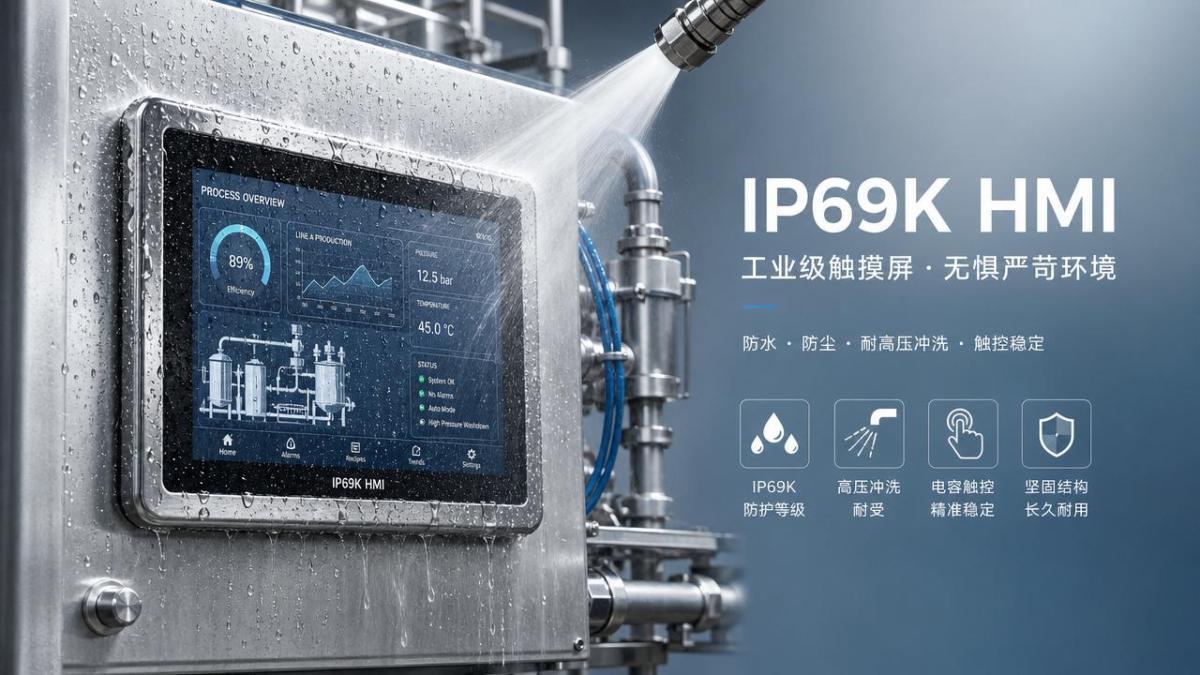
Operators usually notice the failure pattern before anyone names the root cause. A button that works bare-handed starts missing taps with nitrile gloves. A swipe becomes unreliable after foam, rinse water, or condensation hits the surface. A press that should trigger once may require repeated attempts, or the screen may ignore one corner more than another. In harsh washdown areas, these symptoms are common because touch sensing is being asked to do two difficult jobs at the same time: distinguish a human input and reject water-related false signals.
IP69K tells you the enclosure can survive high-pressure, high-temperature washdown. It does not automatically guarantee perfect touch behavior during active spray. That distinction matters. A screen may meet sealing requirements and still perform poorly when there is a water film on the glass, when operators wear thick insulated gloves, or when firmware filtering is tuned too aggressively to avoid false touches. Protection and usability overlap, but they are not the same engineering problem.
For most users, the core search intent behind this topic is practical troubleshooting and buying judgment. They want to know whether touch issues are normal, whether the current HMI can be adjusted, and what features to ask for before replacing equipment. They are less interested in marketing terms and more interested in whether the screen will respond on the first touch during sanitation, wet production changeovers, or outdoor cleaning cycles.
What operators care about most in real use
The target reader here is the operator or user on the floor. That reader usually cares about five things above all else. First, can the screen be used while wearing the actual gloves required by the process? Second, does water or detergent cause missed presses or ghost touches? Third, is the response fast enough to keep the line moving? Fourth, can the issue be improved with settings, cleaning, or operating technique? Fifth, if a replacement is needed, how can they tell which HMI will actually work better in their environment?
These concerns are not abstract. In food processing, pharma, chemical packaging, marine use, and outdoor machinery, touch sensitivity problems directly affect downtime, operator fatigue, and error rates. If a start, stop, acknowledge, or recipe selection input takes three tries instead of one, the result is slower work and less confidence in the interface. In a noisy or fast-paced line, that can become a safety and productivity issue very quickly.
That is why the most helpful content is not a generic explanation of IP ratings. Users need a decision framework: what causes the issue, what to test first, what settings to request from maintenance or the OEM, and what hardware features separate a truly usable washdown HMI from one that is only well sealed on paper.
The main engineering reasons IP69K HMI screen touch sensitivity gets worse
The first major factor is the touch technology itself. Many industrial HMIs use projected capacitive touch because it supports modern interfaces, multi-touch behavior, and a sealed front surface. But capacitive systems detect changes in an electric field, which means thick gloves, moisture, and grounded water paths can interfere with reliable detection. Resistive touch, by contrast, often works better with gloves and moisture but may offer lower optical clarity, a different feel, and less modern gesture support. If your environment is heavily gloved and constantly wet, the technology choice matters more than the IP69K label.
The second factor is glove material and thickness. Not all gloves behave the same on a capacitive HMI. Thin nitrile gloves may still allow acceptable touch response, while thicker rubber, thermal, cut-resistant, or layered gloves can reduce or block signal transfer. Some gloves work when dry but fail when saturated. Others perform differently depending on fingertip texture, tightness, and whether the user presses with the pad of the finger or the edge.
The third factor is water on the screen. A few droplets are one thing; a continuous film, foam residue, or direct spray is another. Water can create broad conductive paths across the surface, making it harder for the controller to distinguish a deliberate touch from environmental noise. To prevent accidental activation, firmware may reject uncertain inputs. From the operator’s perspective, that feels like low sensitivity, but from the controller’s perspective, it is defensive filtering.
The fourth factor is cover lens thickness and stack-up design. Industrial HMIs built for harsh environments often use thick protective glass or laminated front structures. That improves durability and sealing, but it can reduce touch signal strength, especially through gloves. A well-designed controller can compensate, but only within limits. If the stack is thick and the glove is thick, the system may operate near the edge of detection even before water is introduced.
The fifth factor is electromagnetic noise and grounding conditions. Pumps, motors, VFDs, poor panel grounding, and cable routing issues can all disturb touch performance. In some cases, what appears to be an ip69k hmi screen touch sensitivity problem is actually an electrical noise issue that becomes more visible in wet conditions because the sensing margin is already low.
The sixth factor is software tuning. Touch controllers can be configured for sensitivity thresholds, palm rejection, water rejection, debounce timing, and touch confirmation logic. If tuning prioritizes false-touch rejection too strongly, operators may experience sluggish or ignored input. If tuning is too loose, water can trigger random events. Good performance comes from balancing both sides for the actual use case, not a generic lab condition.
How to tell whether the problem is gloves, water, hardware, or settings
A simple way to start is to separate conditions one by one. Test the HMI dry with bare hands, then dry with the real production gloves, then wet with gloves, then during direct spray if that reflects actual use. If the screen works dry with gloves but fails when wet, water rejection is likely the main limitation. If it struggles even when dry and gloved, glove compatibility or low sensitivity margin is the stronger suspect.
Next, compare glove types. If one thin nitrile glove works and a thicker chemical glove does not, you have useful evidence. It means the HMI may not be universally glove-capable, even if it is technically glove-operable under lighter conditions. This is important when speaking with maintenance teams or suppliers, because “works with gloves” is too vague unless glove material and thickness are specified.
Then observe where the failures happen. If only the screen edges or corners miss touches, mounting stress, cover lens variation, or mechanical strain may be involved. If the problem appears everywhere only during washdown, the main issue is more likely environmental interference than localized hardware damage. If the HMI occasionally triggers on its own under spray, the controller may be struggling with water discrimination rather than low sensitivity alone.
It also helps to compare response on static buttons versus swipes or small icons. Fine gestures are much harder in wet, gloved conditions. If large buttons work but swipe actions fail, the interface design is contributing to the problem. In harsh environments, a usable HMI should not depend heavily on delicate gesture inputs, tightly packed controls, or tiny touch targets.
What operators can do immediately to improve usability
Not every fix requires replacing the panel. The first practical step is to reduce the gap between the interface and the environment. If washdown occurs while the HMI must remain active, use screens designed with explicit water rejection modes or ask whether the current unit has firmware settings for wet operation. Some systems can be adjusted to improve intentional touch recognition when moisture is present.
Second, review glove selection where process rules allow it. If two approved glove types are available, operators may be able to choose the one that interacts better with the HMI. Even a modest reduction in thickness or a different fingertip construction can improve touch registration. This is often one of the fastest gains because it changes the signal path immediately.
Third, change the way critical actions are presented on-screen. Larger buttons, more spacing between controls, fewer edge-located commands, and reduced reliance on swipe gestures can dramatically improve success rates. In many cases, the screen is not failing completely; the interface is simply too fine for wet, gloved operation. A UI optimized for office-like touch behavior will underperform in a washdown zone.
Fourth, keep the touch surface clean of detergent films and residue. Operators often focus on visible water, but invisible or semi-visible chemical films can alter touch behavior as well. A panel that has been cleaned but not properly rinsed may behave differently from one with clean water only. If touch quality changes after certain cleaning agents are used, document that pattern and share it with technical support.
Fifth, check grounding and panel condition. Loose bonding, damaged cables, unstable power, and mounting stress can all reduce sensing stability. Operators may not perform the electrical work themselves, but reporting when the issue happens, under what equipment state, and whether nearby machinery is running can help maintenance isolate the cause faster.
What to ask before buying or replacing an HMI for washdown use
If you are evaluating a new unit, do not ask only whether it is IP69K. Ask whether it is tested for touch operation with gloves and water simultaneously, and under what exact conditions. A credible supplier should be able to discuss glove type, water film behavior, touch controller tuning, cover glass thickness, and any limitations during active spray. If the answer stays at the level of “rugged” or “industrial-grade,” it is not enough.
Request a demonstration that matches your use case. The best validation is not a datasheet claim but a live test with your gloves, your cleaning routine, and your common tasks. Ask operators to perform real actions: alarm acknowledgment, parameter entry, recipe change, jog commands, and start-stop confirmation. Record missed touches, repeat attempts, and completion time. That gives a much more honest view of usability than a generic touch demo in dry conditions.
Also ask about configurable touch modes. Some advanced HMIs allow tuning for dry use, glove use, water rejection, or different sensitivity levels. That flexibility can be valuable if the same machine runs in more than one environment. Equally important is whether the supplier can support interface redesign for harsh use, such as larger controls or alternative input methods.
Consider whether touch should be the only input method. In the harshest environments, a hybrid approach may be better. Physical buttons for emergency or high-frequency functions, combined with an HMI for settings and status, often provides better reliability than forcing every action through a wet touch surface. For operators, this is not old-fashioned design; it is robust design.
When the issue means the current HMI is simply the wrong fit
Some situations cannot be solved well through tuning alone. If operators must wear thick chemical or insulated gloves, if direct high-pressure spray is common while the screen is in active use, or if the process depends on fast repeated touches during wet conditions, a marginal capacitive design may remain frustrating no matter how carefully it is adjusted. In those cases, the correct conclusion may be that the installed HMI is protected enough to survive the environment but not optimized enough to be operated in it.
This is where users should separate durability claims from task performance. A panel can resist ingress, pass cleaning exposure, and still impose too much friction on operators. From a procurement or machine design standpoint, that mismatch increases hidden cost: slower cycles, more workarounds, operator frustration, and more service calls. A more suitable interface may cost more upfront but reduce those losses over the life of the equipment.
It is also important to recognize that no touch system performs identically across all combinations of water, glove type, and contaminants. The goal is not perfection in every scenario. The goal is dependable operation in the scenarios that matter most for your process. That is why realistic testing beats broad claims every time.
A practical checklist for evaluating ip69k hmi screen touch sensitivity
Use this short checklist when investigating or comparing systems. Does the HMI register first-touch input with the actual approved glove? Does performance remain acceptable with a wet surface, not just a dry one? Are large controls easy to use without precise aiming? Does the screen resist ghost touches during rinse or foam exposure? Can sensitivity or water rejection settings be tuned? Has the supplier tested the panel under conditions close to yours? Are there grounding or EMI factors that could be reducing margin? Can key functions be moved to physical controls if needed?
If several of these answers are no, the problem is unlikely to disappear on its own. The most useful next step is to document the exact failure mode and escalate with evidence: glove type, cleaning state, screen location affected, nearby equipment status, and whether the issue is missed touch, delayed touch, or false touch. Good evidence leads to faster technical decisions.
Conclusion: focus on usable reliability, not just ingress protection
The key takeaway is simple: ip69k hmi screen touch sensitivity problems in gloves and spray are usually caused by an interaction of touch technology, glove construction, water behavior, panel stack-up, electrical noise, and software filtering. For operators, the right question is not just “Is it IP69K?” but “Can I complete my real tasks quickly and reliably under my real conditions?”
If your current HMI misses touches mainly when wet or gloved, start with structured testing, glove comparison, cleaning review, and interface simplification. If you are selecting a new HMI, demand proof under realistic washdown conditions and prioritize usable response over broad marketing claims. In harsh environments, true performance is not measured by how well the screen survives the spray alone. It is measured by whether the operator can still trust it when the spray starts.
Search News
Hot Articles
- Carbon Fiber StructuresHow to Specify Aerospace Carbon Fiber Assemblies for Lightweight, Load-Bearing PartsJul 11, 2026
- Machine VisionXiaomi, Alibaba DAMO Academy Drive Open-Source Robotics Model Ecosystem, Lowering Algorithm Development Barriers for Overseas SMEs Adopting Chinese Robotics SolutionsMar 30, 2026
- Cobots & ArmsShanxi 'AI+' Conference Showcases Embodied Intelligence with Multinational Buyer Engagement: Key Industry ImplicationsMar 30, 2026
Popular Tags
Recommended News
 Jul 11, 2026How to Specify Aerospace Carbon Fiber Assemblies for Lightweight, Load-Bearing PartsAerospace carbon fiber assemblies: learn how to specify laminate design, load data, joining methods, and inspection controls for lighter, reliable load-bearing aerospace parts.Elena Rostova (UAV Systems Researcher)
 Mar 30, 2026Xiaomi, Alibaba DAMO Academy Drive Open-Source Robotics Model Ecosystem, Lowering Algorithm Development Barriers for Overseas SMEs Adopting Chinese Robotics SolutionsXiaomi & Alibaba DAMO Academy's open-source robotics models lower algorithm barriers for global SMEs. Boost efficiency in manufacturing, logistics & smart retail with ROS 2 compatible solutions.TSV Data Lab
 Mar 30, 2026Shanxi 'AI+' Conference Showcases Embodied Intelligence with Multinational Buyer Engagement: Key Industry ImplicationsShanxi 'AI+' Conference highlights embodied intelligence with Tesla, Ubtech & Jiantao showcasing multimodal robotics. 40+ global buyers validated tech on-site, creating new B2B channels for industrial automation & AI solutions.Chen Wei (Automation Lead Engineer)
 Mar 30, 2026Zhongguancun Unveils 6G Integrated Sensing-Computing-Intelligence Platform to Empower Embodied Robots for Global Industrial ApplicationsZhongguancun's new 6G platform revolutionizes industrial robotics with <10ms latency, empowering global automotive, logistics & port automation. Discover how this tech boosts China's smart manufacturing exports.TSV Data Lab
 Mar 30, 2026Mech-Mind Tianjin Embodied Intelligence R&D and Production Base Goes Live, Cutting Delivery Time by 20%–30% for Global Customized AMR+Vision SolutionsMech-Mind's Tianjin AMR+Vision production base cuts delivery time by 20%-30% for欧美 & Latin American markets. Discover how this PLd-certified facility accelerates customized robotics solutions for smart manufacturing and logistics.Chen Wei (Automation Lead Engineer)
 Mar 30, 2026Boao Forum Reveals 'Co-evolution of Big and Small Brains' Trend in Humanoid Robots, China's Embodied Intelligence Accelerates Adaptation to Overseas Manufacturing Service ScenariosDiscover how China's humanoid robots, featuring 'Co-evolution of Big and Small Brains,' are revolutionizing global manufacturing. Learn about Embodied Tian Gong 3.0's ISO compliance and overseas deployment at Boao Forum 2026.Chen Wei (Automation Lead Engineer)
 Mar 30, 2026China Railway Industrial Secures Patent for Embodied Robotics in Material Handling, Boosting High-Precision Delivery Capabilities for Overseas Infrastructure and Manufacturing ProjectsChina Railway Industrial's new patent for embodied robotics in material handling boosts high-precision delivery for global infrastructure & manufacturing. Discover how this innovation enhances logistics accuracy in automotive, rail transit & EPC projects.Chen Wei (Automation Lead Engineer)
 Sep 28, 2026Spindle Runout Measurement in Germany: DIN Standards, Methods, and Acceptance LimitsSpindle runout measurement Germany: explore DIN standards, proven methods, acceptance limits, and audit-ready practices for reliable machining quality.Dr. Marcus Vance
 Sep 27, 2026How to Select Wall-Mount Edge Devices for Space-Constrained Factory NetworksWall mount edge devices for space-constrained factories: evaluate workload, thermal design, power resilience, cable access, and network reliability for smarter deployments.TSV Data Lab
 Sep 26, 2026Machining Tolerance Analysis: How to Set Limits That Meet Function and Cost TargetsMachining tolerance analysis: learn how to set functional limits, control tolerance stacks, reduce inspection risk, and balance precision with production cost.Dr. Marcus Vance
 Sep 25, 2026How to Evaluate an Industrial Infrastructure Data Platform for Multi-Site OperationsIndustrial infrastructure data platform evaluation guide for multi-site operations: compare data quality, edge resilience, interoperability, governance, and scalable proof-of-value criteria.Victor Lin (Chief Software Architect)
 Sep 24, 2026How to Select Machine Vision Optics for Accurate Inspection at Different Working DistancesMachine vision optics selection guide for accurate inspection at every working distance. Compare FOV, pixel scale, DOF, distortion, lighting, and telecentric options.TSV Data Lab
 Sep 23, 2026How to Evaluate a Machine Vision System Integrator for High-Speed Inspection LinesChoose a machine vision system integrator with proven expertise in high-speed inspection, reliable reject timing, robust optics, and measurable acceptance criteria.TSV Data Lab
 Sep 28, 2026When is a SCADA API the right choice for connecting plant systems?SCADA API guide: learn when governed plant data integration improves traceability, security, and scalability—without compromising real-time control.Victor Lin (Chief Software Architect)
 Sep 27, 2026How SCADA data integration improves traceability across production linesSCADA data integration connects production-line data to improve traceability, accelerate quality investigations, and strengthen safety decisions.Victor Lin (Chief Software Architect)
 Sep 26, 2026What to define before starting SCADA integration planningSCADA integration planning starts with clear scope, control boundaries, data models, cybersecurity, and testing. Discover the definitions that reduce risk and costly rework.Victor Lin (Chief Software Architect)
 Sep 25, 2026How a smart factory with Industrial IoT reduces production blind spotsDiscover how a smart factory with Industrial IoT turns real-time machine, quality, and workflow data into actionable insights that reduce production blind spots and delivery risks.Victor Lin (Chief Software Architect)
 Sep 24, 2026When does Industrial IoT make smart manufacturing easier to scale?Smart manufacturing Industrial IoT scales when trusted data, interoperable systems, and secure workflows turn connected assets into measurable gains.TSV Data Lab
 Sep 23, 2026What drives ultra-precision machining cost at 1-micron tolerance?Ultra precision machining cost per part at 1 micron tolerance depends on process, material, metrology, and yield. Learn how to compare quotes confidently.Dr. Marcus Vance
 Sep 22, 2026Drone Engine-T550CC Applications: Build the UAV Power System Around the MissionAn application guide for Drone Engine-T550CC integration, covering payload planning, airframe matching, cooling, fuel, vibration, test procedures, documentation, and service preparation.Elena Rostova (UAV Systems Researcher)
 Sep 22, 2026How to Evaluate Industrial Edge Computing Vendors for Factory DeploymentIndustrial edge computing vendor evaluation guide for factories: compare latency, protocol fit, reliability, security, and lifecycle support before deployment.TSV Data Lab
 Sep 21, 2026Drone Payload Integration: Matching Power, Data, and Center of Gravity for Reliable FlightsDrone payload integration made practical: balance power, data, center of gravity, and endurance to build safer, more reliable mission-ready flights.Elena Rostova (UAV Systems Researcher)
 Sep 20, 2026Autonomous Navigation Pricing: Cost Drivers and Budget Benchmarks for AMR ProjectsAutonomous navigation price explained: compare AMR cost drivers, software, sensors, integration, safety, and lifecycle budgets to build a scalable project plan.Chen Wei (Automation Lead Engineer)
 Sep 19, 2026How to Scope Automation Integration Services for Multi-System Factory ProjectsAutomation integration services: learn how to scope multi-system factory projects with clear workflows, interface contracts, safety boundaries, and acceptance criteria.Victor Lin (Chief Software Architect)