5G industrial router throughput test with real traffic
Publication Date
author
A credible 5g industrial router throughput test must measure real traffic, not just lab-grade peak rates. For engineers, buyers, and decision-makers comparing industrial connectivity options, verified throughput under latency, packet loss, and multi-device load is what determines deployment success. This introduction explains how to evaluate router performance with practical benchmarks and data-driven methodology.
In industrial environments, advertised 5G speed figures often reflect ideal radio conditions, a single client, and short test windows. Those numbers rarely capture what happens when an edge gateway is polling PLCs every 100 ms, cameras are pushing video upstream, VPN tunnels are encrypting packets, and 8 to 32 field devices are sharing the same link.
For research teams, plant operators, procurement managers, and executive buyers, the real question is not whether a router can reach a headline peak rate. The question is whether it can sustain stable throughput with acceptable latency, jitter, and packet delivery under actual workload patterns. That is the difference between a smooth rollout and a costly troubleshooting cycle.
Why real-traffic throughput testing matters in industrial deployments
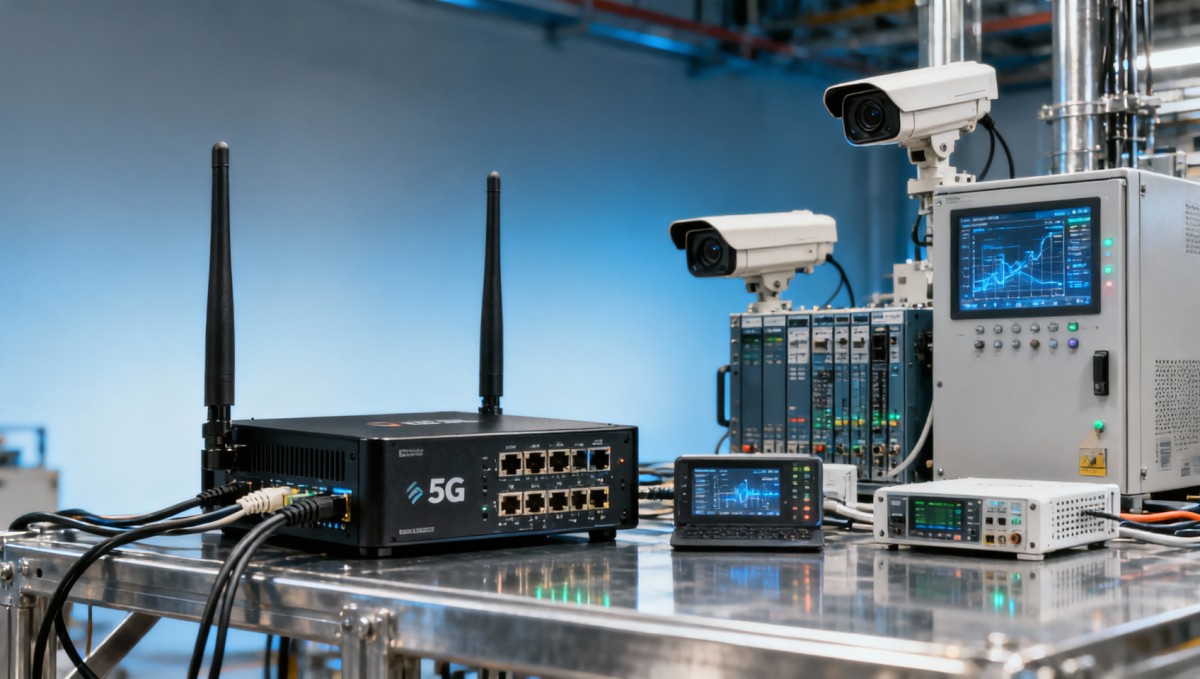
A 5G industrial router throughput test with real traffic is fundamentally different from a promotional speed demo. Industrial networks carry mixed traffic types: telemetry packets of 64 to 512 bytes, control data with strict latency sensitivity, video streams in the 2 Mbps to 12 Mbps range, and batch file transfers that can exceed 500 MB per job. A useful test must represent that diversity.
This matters because throughput is not an isolated metric. In a factory, warehouse, energy site, or mobile command application, throughput interacts with radio signal quality, SIM policy, carrier congestion, CPU load, VPN overhead, firewall rules, and failover logic. A router showing 300 Mbps downstream in a clean lab may drop well below 80 Mbps in a loaded field scenario with encrypted traffic and multiple clients.
From a procurement perspective, relying on a single “up to” number creates risk in three areas: undersized hardware, poor application fit, and unrealistic ROI assumptions. If a project model assumes 50 ms latency and 100 Mbps sustained uplink but field performance averages 25 Mbps with latency spikes above 120 ms, camera backhaul, remote maintenance, and edge analytics can all fail at once.
For operators, the issue is operational continuity. AGV fleets, remote HMI sessions, CNC monitoring, and sensor edge gateways do not all fail in obvious ways. Many deployments suffer from intermittent packet loss of 0.5% to 2%, jitter bursts, or CPU saturation during encrypted sessions. These are exactly the conditions that a real-traffic throughput test should expose before purchase approval.
What a practical benchmark should capture
A practical benchmark should combine at least 4 layers of measurement: raw throughput, latency and jitter, session stability over time, and application-level behavior. Short 60-second tests are not enough. In most B2B evaluations, a 30-minute baseline and a 4-hour stability window provide far more useful evidence for decision-making.
- Single-client throughput under strong and moderate signal conditions
- Multi-client throughput with 5, 10, and 20 concurrent sessions
- VPN-enabled performance using IPsec or OpenVPN
- Uplink-heavy and downlink-heavy traffic mixes, such as 70:30 and 30:70
- Recovery behavior after cell handover, signal degradation, or WAN failover
The table below shows why real-traffic testing is more useful than vendor brochure values when evaluating industrial connectivity.
The key takeaway is simple: a meaningful 5G industrial router throughput test must reflect live operating conditions. Without that, throughput numbers are too abstract to support engineering approval or supplier qualification.
How to design a valid 5G industrial router throughput test
An effective test plan starts with application mapping. Before selecting tools or traffic generators, define the intended workload. A remote maintenance router for a substation has a different profile from an on-vehicle gateway sending 4-channel video and GPS data. In most industrial projects, the test should model 3 traffic groups: critical control, routine telemetry, and bulk or media traffic.
Next, control the variables that frequently distort results. These include RSRP and SINR levels, antenna type, mounting position, band selection, carrier profile, APN policy, firmware version, and security features. If one router is tested at -78 dBm and another at -96 dBm, the comparison is already compromised. Signal conditions should be documented with every throughput run.
Test windows should also be long enough to expose stability problems. In many field deployments, the first 5 minutes look acceptable, but throughput drops after 20 to 40 minutes due to thermal buildup, packet retransmission, or CPU pressure from VPN and NAT rules. For serious procurement, short tests can be used for screening, but final validation should run for at least 2 to 4 hours.
Finally, record application-level outcomes, not just Mbps. Engineers need to know whether Modbus polling remains stable at 1-second intervals, whether camera uplink keeps frame loss below a tolerable threshold, and whether failover recovery occurs within a practical target such as 10 to 30 seconds.
Recommended test workflow
- Define 2 to 5 representative use cases and their throughput, latency, and device-count targets.
- Lock test variables, including SIM, firmware, antennas, and signal level range.
- Run baseline tests for downlink, uplink, and bidirectional traffic with one client.
- Increase concurrency to simulate 5, 10, and 20 active devices.
- Repeat all major tests with VPN enabled and under moderate packet loss conditions.
- Document thermal behavior, reconnect time, and sustained performance over several hours.
Core metrics that should always be logged
At minimum, log sustained downlink and uplink throughput, average latency, 95th percentile latency, jitter, packet loss, CPU load, memory usage, reconnect time, and session drops per hour. If the router will support edge applications, add per-port LAN throughput and any impact from local firewall inspection or protocol conversion.
The following table provides a practical reference for industrial test targets. These are not universal pass-fail values, but they are useful planning ranges for most evaluations.
When these metrics are collected together, buyers can compare routers in a way that reflects deployment reality rather than brochure positioning. That aligns well with TSV’s data-first approach to technical evaluation.
Interpreting throughput results under multi-device and VPN load
A common mistake in router selection is to treat throughput as a fixed property of the modem alone. In practice, 5G industrial router throughput depends on traffic direction, session count, encryption overhead, protocol behavior, and router processing capacity. A unit that performs well with one laptop may show a very different profile with 12 field devices and an always-on IPsec tunnel.
VPN overhead is especially important in industrial networks because many deployments require secure remote maintenance, SCADA access, or encrypted backhaul. Depending on protocol choice and hardware acceleration, effective throughput can decline by 15% to 40%. That does not automatically indicate poor quality, but it must be measured and budgeted into the design.
Multi-device load creates another layer of complexity. A router may maintain high aggregate throughput while still delivering poor user experience because latency rises sharply once session counts exceed 10 or 15. For control-oriented environments, that can be more damaging than a lower but stable throughput curve.
Engineers should therefore read test results in context. The best device is not always the one with the highest peak number. It is often the one with the flattest performance curve, lower jitter, fewer reconnect events, and better behavior during congestion or signal fluctuation.
Practical interpretation rules
- If throughput falls less than 20% when moving from 1 client to 10 active clients, the router usually has balanced resource handling.
- If latency doubles under VPN load, review CPU architecture, encryption support, and tunnel configuration.
- If packet loss exceeds 1% during moderate signal conditions, inspect antenna layout, carrier behavior, and firmware optimization.
- If throughput remains high but reconnect time is long, resilience may still be inadequate for critical operations.
Scenario-based reading of results
For a mobile surveillance application, sustained uplink is often the limiting factor, not downlink. A router delivering 120 Mbps downlink but only 15 Mbps stable uplink may struggle with 3 HD camera feeds plus telemetry. By contrast, in a remote service scenario, even 10 Mbps to 20 Mbps can be sufficient if latency remains consistent and reconnect events stay rare.
In edge AI or machine vision gateways, throughput also competes with local processing and storage traffic. Here, stable LAN-to-WAN forwarding, temperature behavior, and packet scheduling may matter more than the headline 5G category. This is why TSV-style benchmarking emphasizes measured operating truth over promotional abstraction.
Procurement checklist: what buyers should request before approval
A purchasing decision for industrial connectivity should never rely on a spec sheet alone. Buyers should request test methodology, not just outcomes. If a supplier cannot explain how throughput was measured, under what signal conditions, with how many clients, and with which security settings, comparison is incomplete. For projects with 3- to 5-year lifecycle expectations, this gap can become expensive.
Decision-makers should also ask whether the router has been validated for the intended environmental profile. Throughput measured at room temperature is not enough if the installation site sees -20°C winter conditions, 55°C cabinet temperatures, vibration, or unstable power input. Industrial suitability is a systems question, not a SIM-card question.
Another often overlooked issue is supportability. Firmware updates, remote diagnostics, log export, watchdog behavior, and rollback options all affect lifecycle cost. A router that benchmarks well but is difficult to maintain across 200 distributed sites may create more operational burden than a slightly slower unit with stronger management tooling.
The table below summarizes practical evaluation criteria that can be used during technical review and supplier comparison.
These checks help procurement teams convert engineering test data into a confident purchasing decision. They also support clearer supplier discussions by replacing vague quality claims with measurable acceptance points.
Questions buyers should ask suppliers
- What was the sustained throughput over at least 2 hours, not just the peak value?
- How did performance change with VPN enabled and with 10 or more concurrent sessions?
- What was the measured latency, jitter, and packet loss during the same test window?
- How quickly did the router recover after signal degradation or network failover?
- What operational tools are available for remote diagnostics and firmware management?
Common mistakes, field risks, and FAQ for 5G industrial router testing
Even technically sound teams can misread throughput data if the test is too narrow. One common error is benchmarking only download speed, even though many industrial applications depend more heavily on uplink. Another is ignoring antenna placement, which can shift performance significantly within a few meters in dense indoor environments.
A second mistake is separating throughput from resilience. A router that averages 90 Mbps but drops sessions twice per hour may be less useful than one that delivers a stable 55 Mbps all day. In industrial connectivity, consistency often has more business value than peak speed, especially when remote assets are expensive to access.
A third risk is evaluating only at pilot scale. A site with 2 devices behaves differently from a network of 50 sites, each with 8 devices, cloud VPN tunnels, and centralized monitoring. Testing should therefore include a growth assumption, such as 12- to 24-month device expansion, to avoid early obsolescence.
How many devices should a throughput test simulate?
As a practical rule, simulate the expected live load plus 20% to 30% headroom. If a deployment plans for 8 active devices, test with 10 or more. For video or bursty sensor networks, include peak-hour traffic rather than average-hour traffic, since congestion usually emerges during short windows.
Is peak 5G speed still useful?
Yes, but only as a secondary indicator. Peak speed can reveal modem class potential and radio capability, but it should never be the primary purchasing criterion. Sustained throughput, latency stability, and recoverability are more relevant for B2B operations.
What test duration is enough for a buying decision?
For basic screening, 30 minutes may identify obvious weaknesses. For approval of a serious industrial deployment, 2 to 4 hours is a stronger minimum, and 24-hour observation is advisable when the router will support critical remote assets, video backhaul, or unattended infrastructure.
Should packet loss and jitter be included in every test?
Absolutely. A 5G industrial router throughput test with real traffic is incomplete without them. Throughput alone cannot explain user experience in control traffic, remote desktop, camera feeds, or SCADA polling. In many field cases, small changes in packet loss and jitter matter more than a 10 Mbps difference in average throughput.
For organizations evaluating industrial connectivity through a data-driven lens, the strongest approach is clear: test routers under real traffic, document the full context, and judge performance by stable delivery rather than headline peaks. That is how engineering teams reduce trial-and-error, how procurement teams compare suppliers fairly, and how decision-makers lower deployment risk.
If you are defining a benchmark framework, qualifying suppliers, or comparing 5G industrial router options for edge, automation, or remote infrastructure projects, TechStat Vanguard can help turn raw performance claims into measurable decision criteria. Contact us to discuss your evaluation goals, request a tailored test matrix, or explore more data-led industrial connectivity solutions.
Search News
Hot Articles
- Carbon Fiber StructuresHow to Specify Aerospace Carbon Fiber Assemblies for Lightweight, Load-Bearing PartsJul 11, 2026
- Machine VisionXiaomi, Alibaba DAMO Academy Drive Open-Source Robotics Model Ecosystem, Lowering Algorithm Development Barriers for Overseas SMEs Adopting Chinese Robotics SolutionsMar 30, 2026
- Cobots & ArmsShanxi 'AI+' Conference Showcases Embodied Intelligence with Multinational Buyer Engagement: Key Industry ImplicationsMar 30, 2026
Popular Tags
Recommended News
 Jul 11, 2026How to Specify Aerospace Carbon Fiber Assemblies for Lightweight, Load-Bearing PartsAerospace carbon fiber assemblies: learn how to specify laminate design, load data, joining methods, and inspection controls for lighter, reliable load-bearing aerospace parts.Elena Rostova (UAV Systems Researcher)
 Mar 30, 2026Xiaomi, Alibaba DAMO Academy Drive Open-Source Robotics Model Ecosystem, Lowering Algorithm Development Barriers for Overseas SMEs Adopting Chinese Robotics SolutionsXiaomi & Alibaba DAMO Academy's open-source robotics models lower algorithm barriers for global SMEs. Boost efficiency in manufacturing, logistics & smart retail with ROS 2 compatible solutions.TSV Data Lab
 Mar 30, 2026Shanxi 'AI+' Conference Showcases Embodied Intelligence with Multinational Buyer Engagement: Key Industry ImplicationsShanxi 'AI+' Conference highlights embodied intelligence with Tesla, Ubtech & Jiantao showcasing multimodal robotics. 40+ global buyers validated tech on-site, creating new B2B channels for industrial automation & AI solutions.Chen Wei (Automation Lead Engineer)
 Mar 30, 2026Zhongguancun Unveils 6G Integrated Sensing-Computing-Intelligence Platform to Empower Embodied Robots for Global Industrial ApplicationsZhongguancun's new 6G platform revolutionizes industrial robotics with <10ms latency, empowering global automotive, logistics & port automation. Discover how this tech boosts China's smart manufacturing exports.TSV Data Lab
 Mar 30, 2026Mech-Mind Tianjin Embodied Intelligence R&D and Production Base Goes Live, Cutting Delivery Time by 20%–30% for Global Customized AMR+Vision SolutionsMech-Mind's Tianjin AMR+Vision production base cuts delivery time by 20%-30% for欧美 & Latin American markets. Discover how this PLd-certified facility accelerates customized robotics solutions for smart manufacturing and logistics.Chen Wei (Automation Lead Engineer)
 Mar 30, 2026Boao Forum Reveals 'Co-evolution of Big and Small Brains' Trend in Humanoid Robots, China's Embodied Intelligence Accelerates Adaptation to Overseas Manufacturing Service ScenariosDiscover how China's humanoid robots, featuring 'Co-evolution of Big and Small Brains,' are revolutionizing global manufacturing. Learn about Embodied Tian Gong 3.0's ISO compliance and overseas deployment at Boao Forum 2026.Chen Wei (Automation Lead Engineer)
 Mar 30, 2026China Railway Industrial Secures Patent for Embodied Robotics in Material Handling, Boosting High-Precision Delivery Capabilities for Overseas Infrastructure and Manufacturing ProjectsChina Railway Industrial's new patent for embodied robotics in material handling boosts high-precision delivery for global infrastructure & manufacturing. Discover how this innovation enhances logistics accuracy in automotive, rail transit & EPC projects.Chen Wei (Automation Lead Engineer)
 Oct 13, 2026Smart Cameras vs. PC-Based Machine Vision: Which Fits High-Speed Inspection?This industrial product comparison for machine vision weighs smart cameras vs. PC-based systems on latency, throughput, and cost. Discover your best fit for high-speed inspection.TSV Data Lab
 Oct 12, 2026How to Verify RoHS Compliance in Industrial Sensing Systems Before DeploymentRoHS compliant sensing systems: learn how to verify materials, supplier declarations, testing, and configuration controls before industrial deployment.TSV Data Lab
 Oct 11, 2026How Procurement-Oriented Content Taxonomy Improves B2B Buying JourneysProcurement-oriented content taxonomy streamlines B2B buying journeys with clearer evidence, supplier comparisons, risk visibility, and faster approvals.TSV Data Lab
 Oct 10, 2026How to Select a Machine Performance Monitoring Platform for OEE and Downtime ReductionMachine performance monitoring platform selection guide: validate machine states, OEE data, downtime reasons, integrations, and scalability to reduce losses with confidence.TSV Data Lab
 Oct 08, 2026How to Machine Inconel 625 Blades Without Heat Cracks or Edge ChippingInconel 625 blade machining guide: prevent heat cracks, edge chipping, chatter, and work hardening with proven tooling, cooling, fixturing, and inspection strategies.Dr. Marcus Vance
 Oct 07, 2026How to Evaluate an HMI Panel Distributor for Industrial Automation ProjectsHMI panel distributor evaluation guide: verify technical compatibility, traceability, supply reliability, lifecycle support, and total cost for automation projects.Victor Lin (Chief Software Architect)
 Oct 06, 2026Navigation Fault Tolerance Standards for AMRs: What Safety Teams Must VerifyNavigation fault tolerance standards: learn what AMR safety teams must verify, from localization loss and sensor faults to stopping distance, safe restart, and site-specific validation.Chen Wei (Automation Lead Engineer)
 Oct 05, 2026Calculating Edge Computing Total Cost of Ownership Across Distributed SitesEdge computing ownership cost explained: calculate deployment, energy, connectivity, security, remote support, and refresh costs across distributed sites.TSV Data Lab
 Oct 04, 2026CAD/CAM Benchmarking in the GCC: What Manufacturers Should Ask a ConsultantCAD CAM benchmark consultant GCC guide: learn the key questions manufacturers should ask to validate post-processors, workflows, machine performance, and production risk.Victor Lin (Chief Software Architect)
 Oct 03, 2026Selecting Automotive Radar Sensor Modules for ADAS Range, Resolution, and IntegrationAutomotive radar sensor module selection guide for ADAS: compare range, resolution, field of view, latency, and integration to build safer, reliable vehicle systems.TSV Data Lab
 Oct 02, 2026How to Qualify Machined Parts Suppliers for Hard Tech ProgramsHard tech supply chain machined parts demand rigorous supplier qualification. Learn how to assess capability, traceability, quality controls, and delivery resilience.Dr. Marcus Vance
 Oct 01, 2026How to Select an Outdoor Security Radar Sensor for Perimeter Detection?Outdoor security radar sensor selection guide: compare range, accuracy, false-alarm control, integration, and field testing for reliable perimeter detection.TSV Data Lab
 Sep 30, 2026How to Evaluate Solid-State LiDAR Hardware for Outdoor Autonomous VehiclesSolid state LiDAR hardware evaluation guide for outdoor autonomous vehicles—compare range, point-cloud quality, environmental resilience, integration, and safety.TSV Data Lab
 Sep 29, 2026ISO 9283 Repeatability: How to Evaluate Cobot Positioning PerformanceISO 9283 cobot repeatability explained: learn how payload, reach, approach direction, and test conditions affect positioning performance and cell capability.Chen Wei (Automation Lead Engineer)
 Oct 13, 2026How to keep an industrial robotic integration project on scheduleIndustrial robotic integration project management: keep automation on schedule with proven controls for interfaces, suppliers, FAT, commissioning, and change risk.Victor Lin (Chief Software Architect)
 Oct 12, 2026What should be included in predictive maintenance pricing for factories?Predictive maintenance pricing for factories: compare sensors, software, integration, support, and total cost to secure measurable uptime gains and avoid hidden expenses.TSV Data Lab
 Oct 11, 2026How payload and reach change the cost of an industrial robotCost of industrial robot systems depends heavily on payload and reach. Learn how sizing, torque, tooling, safety, and lifecycle factors shape smarter automation investments.Chen Wei (Automation Lead Engineer)